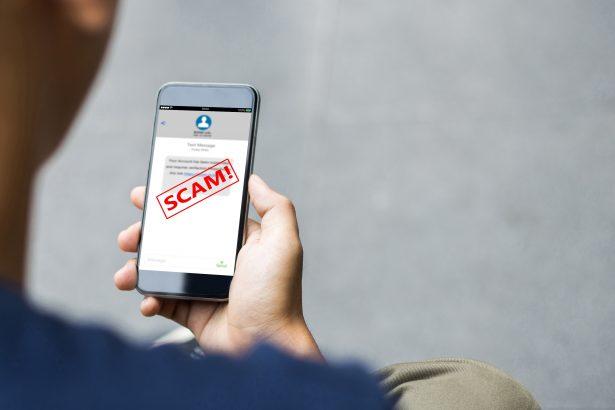
The uBlock Origin malware scam is a deceptive cyber threat that exploits the popularity of the legitimate browser extension uBlock Origin. While the real software is a trusted, open-source ad blocker used by millions worldwide, cybercriminals have leveraged its reputation to distribute malicious software through fake clones, misleading websites, and fraudulent browser extensions.
- Threat Overview
- 1. Impersonation Strategy
- 2. Infection Chain
- 3. Payload Execution
- 1. Malicious Browser Extensions
- 2. Phishing Websites
- 3. Malvertising
- 4. Software Bundling
- 5. Typosquatting Domains
- Data Theft
- Remote Access
- Persistence Mechanisms
- Browser Manipulation
- Step 1: Remove Suspicious Extensions
- Step 2: Uninstall Unknown Programs
- Step 3: Run a Full System Scan
- Step 4: Reset Browser Settings
- Step 5: Check Startup Programs
- Manual Trojan Malware Removal Guide
- Step 1: Boot into Safe Mode
- Step 2: Identify and Stop Malicious Processes
- Step 3: Remove Trojan-Related Files and Folders
- Step 4: Clean Trojan Malware from Registry
- Step 5: Reset Browser Settings
- Step 6: Run a Full Windows Defender Scan
- Step 7: Update Windows and Installed Software
- Automatic Trojan Removal Using SpyHunter
- Step 1: Download SpyHunter
- Step 2: Install SpyHunter
- Step 3: Scan Your System
- Step 4: Remove Detected Malware
- Step 5: Restart Your Computer
- Tips to Prevent Future Trojan Infections
This article provides a structured, in-depth analysis of the threat, following a typical malware breakdown format, including its behavior, infection methods, risks, and removal strategies.
Threat Overview
Name: uBlock Origin Malware Scam
Type: Scam / Trojanized Browser Extension / Potentially Unwanted Program (PUP)
Short Description: A fake or impersonated version of uBlock Origin designed to trick users into installing malware or exposing sensitive data.
Symptoms: Browser crashes, suspicious extensions, redirects, unauthorized access, system slowdowns
Distribution Method: Fake websites, malicious ads, phishing pages, rogue browser extensions
Risk Level: High
The scam does not involve the real uBlock Origin software, which remains safe and legitimate. Instead, attackers distribute lookalike versions or bundle malware with fake installers.
What Is the uBlock Origin Malware Scam?
The uBlock Origin malware scam is a social engineering-based cyberattack that impersonates legitimate software to gain user trust. Attackers create:
- Fake download pages
- Malicious browser extensions
- Cloned branding (logos, developer names)
- Misleading ads or pop-ups
In some cases, attackers impersonate the original developer to appear legitimate. Certain campaigns have used fake ad blockers disguised as official releases to deliver more serious malware such as remote access trojans.
How the Threat Works
1. Impersonation Strategy
Attackers rely on brand trust abuse. Since uBlock Origin is widely used, its name and visual identity are easy to exploit.
- Fake extensions mimic the interface and functionality
- Malicious pages appear in search results or ads
- Some versions may temporarily appear in official extension stores
2. Infection Chain
A typical infection scenario:
- User searches for “uBlock Origin download”
- Clicks a malicious ad or fake website
- Downloads a trojanized extension or installer
- Malware executes silently in the background
More advanced variants may:
- Force browser instability
- Display fake warnings or alerts
- Install additional malicious components
3. Payload Execution
Once installed, the malware may:
- Establish remote access to the system
- Monitor browsing behavior
- Modify system or browser settings
- Inject ads or redirect traffic
Distribution Methods
The scam spreads through multiple vectors:
1. Malicious Browser Extensions
Fake extensions hosted on unofficial or compromised platforms.
2. Phishing Websites
Websites designed to look like official download pages.
3. Malvertising
Online ads that redirect users to malicious installers.
4. Software Bundling
Installers that include hidden malicious components.
5. Typosquatting Domains
Domains with names similar to legitimate ones used to trick users.
Capabilities and Malicious Behavior
Depending on the variant, the malware may include:
Data Theft
- Stored browser credentials
- Cookies and session tokens
- Personal and sensitive data
Remote Access
Some versions deploy tools that allow attackers to:
- Control the infected system remotely
- Execute commands
- Monitor user activity
Persistence Mechanisms
- Registry changes
- Startup entries
- Scheduled tasks
Browser Manipulation
- Redirects to malicious or advertising sites
- Injection of unwanted ads
- Disabling security features
Why This Scam Is Effective
Several factors contribute to its success:
1. Trust in Popular Software
uBlock Origin is widely recognized and trusted, making impersonation highly convincing.
2. Ease of Replication
Branding and functionality are easy to mimic.
3. User Behavior
Users often download software without verifying authenticity.
4. Platform Limitations
Even official extension platforms can temporarily host malicious uploads.
Symptoms of Infection
Users affected by the scam may notice:
- Unknown or duplicate browser extensions
- Frequent pop-ups and redirects
- Sluggish system performance
- Browser crashes or unusual behavior
- Unexplained network activity
Is uBlock Origin Itself Malware?
No.
The legitimate uBlock Origin is a safe, open-source ad blocker designed to protect users from intrusive ads and malicious domains. The threat comes exclusively from fake or modified versions, not the original software.
How to Remove the uBlock Origin Malware Scam
Step 1: Remove Suspicious Extensions
Open your browser’s extension manager and remove anything unfamiliar, especially duplicate “uBlock” entries.
Step 2: Uninstall Unknown Programs
Check your system for recently installed or suspicious software and remove it.
Step 3: Run a Full System Scan
Use trusted anti-malware software to scan and clean your system.
Step 4: Reset Browser Settings
Restore your browser to default settings and clear cache and cookies.
Step 5: Check Startup Programs
Disable unknown processes that run at system startup.
Prevention Tips
To reduce the risk of infection:
- Download software only from official sources
- Verify the developer before installing extensions
- Avoid clicking ads in search results
- Keep your system and browser updated
- Use reliable security software with real-time protection
Conclusion
The uBlock Origin malware scam highlights a growing cybersecurity trend: abusing trusted software names to distribute malicious payloads. While the real uBlock Origin remains safe, fake versions can lead to serious consequences, including data theft and system compromise.
Users should stay cautious, verify sources carefully, and understand that even well-known tools can be exploited by cybercriminals when impersonated.
Manual Trojan Malware Removal Guide
Step 1: Boot into Safe Mode
- Restart your computer.
- Before Windows starts, press the F8 key (or Shift + F8 on some systems).
- Select Safe Mode with Networking from the Advanced Boot Options menu.
- Press Enter to boot.
This prevents the Trojan from running and makes it easier to remove.
Step 2: Identify and Stop Malicious Processes
- Press Ctrl + Shift + Esc to open Task Manager.
- Go to the Processes tab (or Details in Windows 10/11).
- Look for suspicious processes using high CPU or memory, or with unfamiliar names.
- Right-click on the suspicious process and select Open File Location.
- If the file is in a temporary or system folder and looks unfamiliar, it is likely malicious.
- Right-click the process and choose End Task.
- Delete the associated file in File Explorer.
Step 3: Remove Trojan-Related Files and Folders
- Press Win + R, type %temp%, and press Enter.
- Delete all files in the Temp folder.
- Also check these directories for unfamiliar or recently created files:
- C:\Users\YourUser\AppData\Local\Temp
- C:\Windows\Temp
- C:\Program Files (x86)
- C:\ProgramData
- C:\Users\YourUser\AppData\Roaming
- Delete suspicious files or folders.
Step 4: Clean Trojan Malware from Registry
- Press Win + R, type regedit, and press Enter.
- Navigate to the following paths:
HKEY_LOCAL_MACHINE\SOFTWARE\Microsoft\Windows\CurrentVersion\RunHKEY_CURRENT_USER\SOFTWARE\Microsoft\Windows\CurrentVersion\Run
- Look for entries launching files from suspicious locations.
- Right-click and delete any entries you don’t recognize.
Warning: Editing the registry can harm your system if done improperly. Proceed with caution.
Step 5: Reset Browser Settings
Google Chrome
- Go to Settings > Reset Settings.
- Click Restore settings to their original defaults and confirm.
Mozilla Firefox
- Go to Help > More Troubleshooting Information.
- Click Refresh Firefox.
Microsoft Edge
- Go to Settings > Reset settings.
- Click Restore settings to their default values.
Step 6: Run a Full Windows Defender Scan
- Open Windows Security via Settings > Update & Security.
- Click Virus & threat protection.
- Choose Scan options, select Full scan, and click Scan now.
Step 7: Update Windows and Installed Software
- Press Win + I, go to Update & Security > Windows Update.
- Click Check for updates and install all available updates.
Automatic Trojan Removal Using SpyHunter
If manually removing the Trojan seems difficult or time-consuming, using SpyHunter is the recommended method. SpyHunter is an advanced anti-malware tool that detects and eliminates Trojan infections effectively.
Step 1: Download SpyHunter
Use the following official link to download SpyHunter: Download SpyHunter
For full instructions on how to install, follow this page: Official SpyHunter Download Instructions
Step 2: Install SpyHunter
- Locate the SpyHunter-Installer.exe file in your Downloads folder.
- Double-click the installer to begin setup.
- Follow the on-screen prompts to complete the installation.
Step 3: Scan Your System
- Open SpyHunter.
- Click Start Scan Now.
- Let the program detect all threats, including Trojan components.
Step 4: Remove Detected Malware
- After the scan, click Fix Threats.
- SpyHunter will automatically quarantine and remove all identified malicious components.
Step 5: Restart Your Computer
Restart your system to ensure all changes take effect and the threat is completely removed.
Tips to Prevent Future Trojan Infections
- Avoid downloading pirated software or opening unknown email attachments.
- Only visit trusted websites and avoid clicking on suspicious ads or pop-ups.
- Use a real-time antivirus solution like SpyHunter for ongoing protection.
- Keep your operating system, browsers, and software up to date.