What Is Stripchat?
Stripchat is a large-scale adult live-streaming platform where users interact with performers via chat, tipping, and private sessions. It attracts millions of users globally and operates with real-time video content.
- What Is Stripchat?
- Threat Overview
- How the Threat Works
- 1. Malicious Pop-Ups and Redirects
- 2. Fake Software and Malware Delivery
- 3. Phishing and Social Engineering
- Additional Security Suggestions
- Data Breach Risks
- Privacy and Anonymity Issues
- Is Stripchat Malware?
- Indicators of Compromise (IoCs)
- How to Remove Related Threats
- Prevention Tips
- Key Takeaways
- Final Verdict
- Additional Security Suggestions
- Option 1: Manual Browser Hijacker Removal
- Step 1: Uninstall Suspicious Software
- Step 2: Reset Each Web Browser Affected
- Step 3: Check and Clean Your Hosts File
- Option 2: Automatic Removal Using SpyHunter
- Step 1: Download SpyHunter
- Step 2: Install and Launch the Program
- Step 3: Perform a Full System Scan
- Step 4: Reboot and Recheck Your Browser
- How to Prevent Future Infections
Although the platform itself is legitimate and widely used, its surrounding ecosystem—especially advertisements, redirects, and third-party integrations—introduces notable cybersecurity risks.
Threat Overview
| Category | Details |
|---|---|
| Threat Type | Scam campaigns, malicious ads, phishing, potential malware distribution |
| Target | End-users (viewers), performers |
| Infection Vector | Pop-ups, redirects, fake download prompts, malicious ads |
| Impact | Data theft, privacy exposure, financial fraud, device compromise |
The primary concern is not the platform alone, but the broader environment of ads, pop-ups, and external links, which are frequently abused by cybercriminals.
How the Threat Works
1. Malicious Pop-Ups and Redirects
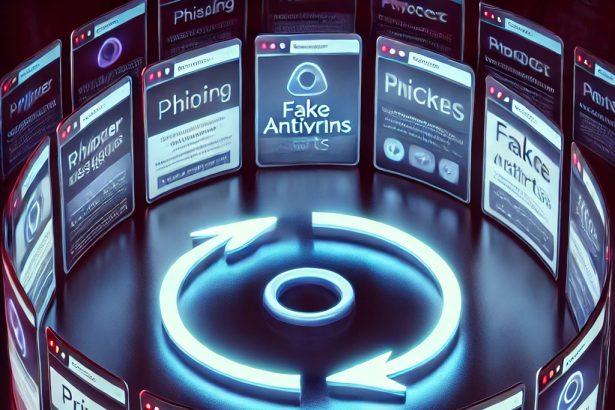
Users may encounter intrusive pop-ups while browsing or interacting with Stripchat-related content. These pop-ups often:
- Claim the device is infected
- Offer fake “security tools”
- Redirect users to suspicious or harmful domains
These tactics are commonly associated with scareware campaigns, designed to pressure users into taking unsafe actions.
2. Fake Software and Malware Delivery
Users may be prompted to:
- Install “video players”
- Update browsers or plugins
- Download “security tools”
Such downloads may include:
The objective is to gain persistent access to the system and potentially collect sensitive data.
3. Phishing and Social Engineering
Attackers exploit the nature of adult platforms through:
- Fake messages from performers or administrators
- External links offering exclusive or private content
- Requests for payments outside the platform
These tactics rely on urgency, curiosity, or discretion to manipulate users into risky actions.
Additional Security Suggestions
To stay safe online, it is important to stay informed about emerging threats and how they operate. For a deeper understanding of these risks, you can read our detailed guide on hijackers, which explains how they work, how they spread, and what steps you can take to protect yourself from becoming a victim.
Data Breach Risks
One of the most serious concerns related to Stripchat is past data exposure incidents.
Large datasets containing millions of user records have reportedly been exposed. The compromised data has included:
- Email addresses
- IP addresses
- Usernames
- Activity-related information
Potential Consequences
- Identity exposure
- Blackmail or extortion attempts
- Targeted phishing campaigns
- Increased risk of stalking or harassment
Exposure of IP addresses can also reveal approximate geographic locations, increasing real-world risks.
Privacy and Anonymity Issues
While the platform uses standard protections such as encryption, several risks remain:
- IP addresses may still be logged
- Third-party trackers can collect behavioral data
- External links can bypass internal safeguards
Additionally, any leaked or exposed databases can significantly undermine user anonymity.
Is Stripchat Malware?
Stripchat itself is not classified as malware. It is a legitimate service with standard security measures.
However, it becomes risky due to:
- Malicious advertising networks
- External scam campaigns
- Targeted phishing attacks
It is best understood as a high-risk environment rather than a malicious application.
Indicators of Compromise (IoCs)
Users exposed to malicious activity may notice:
- Unexpected browser redirects
- Frequent or aggressive pop-ups
- New or unknown browser extensions
- Decreased system performance
- Suspicious login activity
These signs often indicate adware or browser hijacker infections.
How to Remove Related Threats
If you suspect a compromise:
- Uninstall unfamiliar or suspicious programs
- Reset browser settings
- Remove unknown extensions
- Perform a full system scan with anti-malware software
- Clear browser cache and cookies
- Change passwords for critical accounts
Prevention Tips
To reduce exposure:
- Avoid clicking on pop-ups or unknown links
- Do not download unofficial software or updates
- Use a reliable ad blocker
- Enable two-factor authentication
- Use a VPN to protect your IP address
- Keep your operating system and browser updated
Key Takeaways
- Stripchat is a legitimate platform but presents cybersecurity risks
- The primary threats stem from ads, pop-ups, and external links
- Data exposure incidents highlight real privacy concerns
- Safe browsing habits and security tools are essential
Final Verdict
Stripchat is not inherently dangerous, but it operates in an environment frequently targeted by cybercriminals. The combination of sensitive user behavior, third-party advertising, and past data exposure makes it a common vector for cyber threats.
Improper use can lead to:
- Malware infections
- Phishing scams
- Privacy breaches
Maintaining strong security awareness and cautious browsing behavior is critical when using such platforms.
Additional Security Suggestions
To stay safe online, it is important to stay informed about emerging threats and how they operate. For a deeper understanding of these risks, you can read our detailed guide on hijackers, which explains how they work, how they spread, and what steps you can take to protect yourself from becoming a victim.
Option 1: Manual Browser Hijacker Removal
Step 1: Uninstall Suspicious Software
For Windows:
- Press
Windows + R, typeappwiz.cpl, and press Enter. - Look for recently installed or unknown software.
- Select the suspicious program and click Uninstall.
- Follow the uninstaller’s prompts.
For Mac:
- Open Finder > Applications.
- Locate any unfamiliar apps you didn’t intentionally install.
- Drag them to the Trash.
- Right-click the Trash and select Empty Trash.
Step 2: Reset Each Web Browser Affected
Google Chrome:
- Go to chrome://settings/reset.
- Click Restore settings to their original defaults > Reset settings.
- Then, visit chrome://extensions and remove any suspicious add-ons.
- Change your search engine:
Settings > Search Engine > Manage search engines — remove unwanted entries and set a trusted one like Google.
Mozilla Firefox:
- Click the menu icon (three lines) > Help > More Troubleshooting Information.
- Click Refresh Firefox.
- After reset, check Add-ons and Themes and remove unwanted extensions.
- Navigate to Settings > Home/Search and revert changes to your preferred provider.
Microsoft Edge:
- Click menu (three dots) > Settings > Reset Settings > Restore settings to their default values.
- Open edge://extensions and remove any unfamiliar plugins.
- Reconfigure your homepage and search engine if needed.
Safari (Mac Only):
- Open Safari > Click Safari in the top menu > Clear History (select All History).
- Go to Preferences > Extensions, remove unknown entries.
- Under General, set your homepage.
- Under Search, revert to your preferred search provider.
Step 3: Check and Clean Your Hosts File
On Windows:
- Open Notepad as Administrator.
- Go to:
C:\Windows\System32\drivers\etc\hosts - Look for unknown IPs or domains — remove them.
- Save changes and reboot.
On Mac:
- Open Terminal.
- Run:
sudo nano /etc/hosts - Identify and remove hijacker entries.
- Press
Control + Oto save andControl + Xto exit.
Option 2: Automatic Removal Using SpyHunter
If you want a faster and safer solution — especially if the hijacker reinstalls after manual removal — use SpyHunter, a trusted anti-malware tool.
Step 1: Download SpyHunter
Visit the official download page: Download SpyHunter
Need help with the installation? Follow this page: SpyHunter Download Instructions
Step 2: Install and Launch the Program
- Run the installer and follow the steps for your OS.
- Open SpyHunter after installation.
Step 3: Perform a Full System Scan
- Click Start Scan Now.
- Wait while SpyHunter analyzes your computer for browser hijackers, malware, and other PUPs.
- Once the scan completes, click Fix Threats to eliminate them.
Step 4: Reboot and Recheck Your Browser
After cleaning, restart your device. Open your browser and check if your homepage and search settings are restored. If not, perform a quick browser reset using the manual steps above.
How to Prevent Future Infections
- Avoid downloading freeware from third-party sites.
- Use custom/advanced installation and deselect optional offers.
- Keep your browser and OS updated.
- Regularly scan your system with SpyHunter for proactive defense.
- Don’t click strange pop-ups or redirect links from unknown sources.