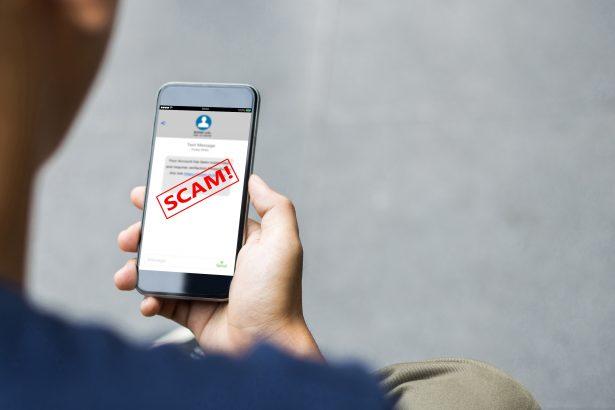
Phishing scams are deceptive tactics used by cybercriminals to trick individuals into revealing sensitive information or installing malicious software on their devices. These scams often masquerade as legitimate requests from trusted entities, leveraging social engineering techniques to create a sense of urgency or fear. The ultimate goal is to gain unauthorized access to personal data, financial accounts, or even control over your system. As these scams evolve, they have become increasingly sophisticated, targeting emerging technologies and trends, such as cryptocurrency and non-fungible tokens (NFTs).
The Purpose of Phishing Scams
The primary objective of phishing scams is to steal sensitive information or install malware on a victim’s device. This can lead to various forms of cybercrime, including identity theft, financial fraud, and unauthorized access to digital assets. Once a system is compromised, the attacker can exploit the information for financial gain, sell it on the dark web, or use it to further infiltrate other systems.
Phishing attacks typically infiltrate systems through emails, text messages, or even social media. These messages often appear to be from a legitimate source, prompting the victim to click on a link or download an attachment. Once the user interacts with the malicious content, their system can be infected with malware, spyware, or ransomware, which can lead to devastating consequences.
The Threat to Infected Systems and Individuals
When a system is compromised by a phishing scam, the consequences can be severe. Personal and financial data may be stolen, leading to identity theft or unauthorized financial transactions. In some cases, the malware installed can grant the attacker remote access to the system, allowing them to monitor the user’s activities, capture keystrokes, or even take full control of the device. This level of access can be used to further the attacker’s goals, such as spreading the malware to other systems or demanding ransom payments from the victim.
Spotlight on the Bitcoin NFT Verification Scam
A recent phishing scam that has garnered attention is the Bitcoin NFT Verification Scam. This scam preys on the growing interest in cryptocurrencies and NFTs, using them as bait to lure victims into a trap. The scam is typically delivered via email, with the subject line or content designed to capture the recipient’s attention and prompt immediate action.
In the case discussed in the reference article, the scam email is sent from an address designed to appear legitimate but is, in fact, fraudulent. The sender’s email address may look like it belongs to a reputable organization, but closer inspection often reveals subtle discrepancies. The email claims that the recipient must verify their NFT purchase or Bitcoin transaction, creating a sense of urgency.
The email instructs the victim to click on a link or download a file to complete the verification process. This link leads to a fake website that mimics a legitimate platform, where the victim is asked to enter sensitive information, such as their private keys, wallet credentials, or other personal details. Alternatively, downloading the file may install malware on the victim’s device, giving the attacker access to their system.
The primary purpose of this scam is to steal cryptocurrency or sensitive information that can be used to gain control of the victim’s digital assets. As NFTs and cryptocurrencies become more mainstream, such scams are likely to increase in frequency and sophistication.
Common Triggers and Similar Threats
Individuals may encounter the Bitcoin NFT Verification Scam for several reasons, including their involvement in cryptocurrency trading, NFT purchases, or simply as a result of their email address being compromised in a data breach. It’s crucial to recognize these scams to avoid falling victim to them.
Similar threats include phishing emails related to account verifications, fake security alerts, and fraudulent investment opportunities. These scams often share common traits, such as urgent language, requests for sensitive information, and links to fake websites.
Comprehensive Removal Guide
If you suspect that your system has been compromised by the Bitcoin NFT Verification Scam, follow these steps to remove any associated malware and secure your device:
1. Disconnect from the Internet
- Immediately disconnect your device from the internet to prevent further data transmission to the attacker.
2. Enter Safe Mode
- Restart your computer and enter Safe Mode. This limits the programs that can run, potentially preventing the malware from executing.
3. Uninstall Suspicious Programs
- Go to your computer’s Control Panel (Windows) or Applications folder (Mac) and uninstall any recently installed or suspicious programs.
4. Use an Anti-Malware Tool
- Download and run a trusted anti-malware tool, such as SpyHunter. This software can scan your system for malware and remove any threats detected. Ensure that the tool is up-to-date to handle the latest threats.
5. Perform a Full System Scan
- Run a full system scan using SpyHunter. This will check all files and processes on your computer for any signs of infection. Follow the tool’s recommendations for removal or quarantine.
6. Reset Your Browser Settings
- If the scam involved a phishing website, reset your browser settings to remove any malicious extensions or changes made by the malware.
7. Change Your Passwords
- Change the passwords for all your accounts, particularly those related to cryptocurrency wallets, financial institutions, and email. Ensure that you use strong, unique passwords.
8. Enable Two-Factor Authentication (2FA)
- For added security, enable 2FA on your accounts, especially those related to sensitive information. This adds an extra layer of protection.
9. Monitor Your Accounts
- Regularly monitor your financial accounts, email, and cryptocurrency wallets for any suspicious activity. Report any unauthorized transactions to the relevant institutions immediately.
Preventive Measures for the Future
To avoid falling victim to phishing scams in the future, consider the following precautions:
- Be Skeptical of Unsolicited Emails: Treat unexpected emails with caution, especially those requesting personal information or urgent action.
- Verify the Sender: Always double-check the sender’s email address and domain to ensure it matches the official contact information of the organization.
- Avoid Clicking on Links: Hover over links to see the URL before clicking. If unsure, go directly to the website by typing the address into your browser.
- Keep Your Software Updated: Regularly update your operating system, browsers, and security software to protect against the latest threats.
- Educate Yourself: Stay informed about the latest phishing tactics and share this knowledge with others to help prevent scams.
Using a reliable anti-malware tool like SpyHunter is essential in protecting your system. Download SpyHunter today to scan your computer for free and ensure your device remains secure against potential threats.
If you are still having trouble, consider contacting remote technical support options.