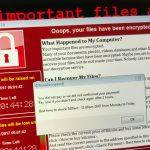
Trojan.Dorifel, also known as XDocCrypt/Dorifel, is a sophisticated piece of malware that has wreaked havoc on numerous computer systems worldwide. This Trojan is notorious for its ability to encrypt files and spread itself across networks, causing significant damage to both individual users and organizations. Understanding the nature of this threat, its modus operandi, and the steps necessary to remove it are crucial for maintaining cybersecurity. This article provides an in-depth look at Trojan.Dorifel, its actions, consequences, and a detailed removal guide, along with preventive measures to protect against future infections.
Actions and Consequences of Trojan.Dorifel
Trojan.Dorifel primarily targets Windows operating systems, infiltrating them through malicious email attachments, compromised websites, or by exploiting network vulnerabilities. Once it gains access to a system, it performs the following actions:
- File Encryption: The Trojan encrypts various files on the infected system, rendering them inaccessible without a decryption key. This typically affects document files, images, and other important data.
- Network Propagation: It attempts to spread to other devices on the same network by exploiting shared folders and network drives, increasing its reach and potential damage.
- Information Theft: In some cases, Trojan.Dorifel is capable of stealing sensitive information from the infected system, including login credentials and financial information.
- Backdoor Installation: The Trojan may also install a backdoor on the system, allowing remote attackers to gain unauthorized access and control over the infected machine.
Consequences
The consequences of a Trojan.Dorifel infection can be severe:
- Data Loss: Encrypted files may be permanently lost if backups are not available.
- Operational Disruption: Network propagation can lead to widespread disruption of operations, particularly in business environments.
- Financial Loss: Recovery from an attack may require significant financial resources, including paying ransom demands (though this is not recommended), IT support costs, and potential regulatory fines for data breaches.
- Reputational Damage: Businesses may suffer reputational harm if sensitive customer information is stolen or if operations are severely disrupted.
Detection Names
Various cybersecurity companies have identified Trojan.Dorifel under different names, including but not limited to:
- Microsoft: Trojan:Win32/Dorifel.A
- Kaspersky: Trojan-Ransom.Win32.Dorifel
- Symantec: Trojan.Dorifel
- McAfee: XDocCrypt/Dorifel
Similar Threats
Trojan.Dorifel shares characteristics with several other malware threats, such as:
- CryptoLocker: A notorious ransomware that also encrypts files and demands a ransom for decryption.
- WannaCry: Another ransomware that caused a global epidemic by exploiting vulnerabilities in Windows systems.
- Zeus Trojan: Known for stealing banking information and delivering additional malware payloads.
Removal Guide for Trojan.Dorifel
Step 1: Disconnect from the Internet
To prevent further spread of the malware, immediately disconnect the infected device from the internet and any connected networks.
Step 2: Boot into Safe Mode
- Windows 10/8:
- Press Shift and restart your computer.
- Select Troubleshoot > Advanced options > Startup Settings > Restart.
- Press F5 to boot into Safe Mode with Networking.
- Windows 7/Vista:
- Restart your computer and press F8 repeatedly before the Windows logo appears.
- Select Safe Mode with Networking from the Advanced Boot Options menu.
Step 3: End Malicious Processes
- Press Ctrl + Shift + Esc to open Task Manager.
- Look for suspicious processes related to Trojan.Dorifel (e.g., unusual .exe files) and end them by selecting End Task.
Step 4: Delete Temporary Files
- Open Run dialog by pressing Windows + R.
- Type
tempand press Enter. Delete all files in the temporary folder. - Repeat the process with
%temp%andprefetchdirectories.
Step 5: Uninstall Suspicious Programs
- Open Control Panel > Programs and Features.
- Look for unfamiliar or recently installed programs and uninstall them.
Step 6: Remove Trojan.Dorifel from the Registry
- Open Run dialog, type
regedit, and press Enter. - Navigate to the following paths and look for suspicious entries:
HKEY_LOCAL_MACHINE\Software\Microsoft\Windows\CurrentVersion\RunHKEY_CURRENT_USER\Software\Microsoft\Windows\CurrentVersion\Run
- Delete any registry keys associated with Trojan.Dorifel.
Step 7: Restore Encrypted Files
If your files are encrypted, you may need to restore them from backups. If backups are not available, you can attempt to use file recovery software or consult cybersecurity professionals for decryption solutions.
Step 8: Update and Run Antivirus Software
Ensure your antivirus software is up to date and run a full system scan to detect and remove any remaining traces of Trojan.Dorifel.
Best Practices for Preventing Future Infections
- Regular Backups: Regularly back up important data to an external drive or cloud storage to mitigate data loss from malware infections.
- Keep Software Updated: Ensure that your operating system, antivirus software, and all applications are up to date with the latest security patches.
- Use Strong Passwords: Implement strong, unique passwords for all accounts and enable multi-factor authentication where possible.
- Be Cautious with Email Attachments: Avoid opening email attachments from unknown senders or clicking on suspicious links.
- Network Security: Use firewalls and network segmentation to prevent the spread of malware within your network.
- Educate Users: Conduct regular cybersecurity training for employees to recognize phishing attempts and other common attack vectors.
By following these steps and implementing the recommended best practices, you can effectively manage and mitigate the threat posed by Trojan.Dorifel and similar cyber threats. Stay vigilant and proactive in maintaining your cybersecurity to protect your valuable data and systems.