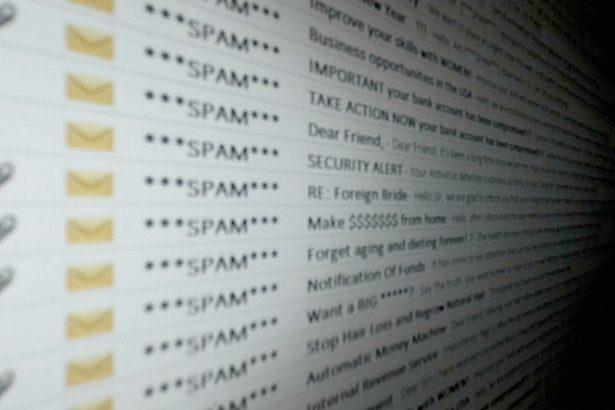
Phishing scams are a prevalent form of cyber threat where malicious actors attempt to deceive individuals into divulging sensitive information, such as passwords, credit card numbers, or personal identification details. These scams often masquerade as legitimate communications from trusted entities, such as banks, email providers, or government agencies. The goal of phishing is to exploit human trust to gain unauthorized access to systems or personal data.
Phishing attacks can take various forms, including emails, text messages (SMS phishing or “smishing”), phone calls (voice phishing or “vishing”), and even social media messages. Regardless of the medium, the essence of these scams is the same: to trick the recipient into believing they are interacting with a genuine entity, thereby prompting them to take an action that compromises their security.
The General Purpose and Threat of Phishing Scams
The primary objective of phishing scams is to harvest sensitive information that can be used for financial gain, identity theft, or further cyberattacks. Once the scam infiltrates a system, it can pose significant risks, including:
- Financial Loss: Scammers can use stolen financial information to make unauthorized transactions.
- Identity Theft: Personal data can be exploited to create fake identities, apply for loans, or commit other fraudulent activities.
- System Compromise: Phishing attacks can introduce malware into the victim’s system, leading to data breaches, loss of sensitive information, or complete system control by the attacker.
- Privacy Invasion: Personal and professional privacy can be severely compromised, leading to various forms of exploitation and blackmail.
Detailed Examination of Legal Right to Claim Estate Email Scam
A recent example of a phishing scam is outlined in a detailed report from our expert sources. This scam involves an email sent from the address “legalrighttoclaimestate@legal-service.me.” The email falsely claims that the recipient has a legal right to claim a state removal, attempting to lure them into clicking on a link or providing personal information.
Specific Instructions and Details
- Email Sender: The scam email is sent from “legalrighttoclaimestate@legal-service.me.”
- Message Content: The email instructs the recipient to click on a link to access details about their supposed legal right to claim a state removal. This link, however, directs them to a malicious website designed to steal their information.
- Intended Purpose: The scam aims to gather personal and financial information from the victim, potentially leading to significant financial and identity-related damages.
Common Reasons for Encountering Such Scams
Phishing scams are widespread and can be encountered in various forms, including:
- Unsolicited emails or messages claiming urgent actions are required.
- Communications that appear to come from reputable institutions but contain minor errors or inconsistencies.
- Offers that seem too good to be true, such as unexpected winnings or unclaimed inheritances.
Similar Threats to Be Aware Of
Other common phishing threats include:
- Banking Scams: Emails or messages pretending to be from banks, requesting account verification.
- Tech Support Scams: Fraudulent alerts claiming the recipient’s computer is infected and needs immediate assistance.
- Fake Invoice Scams: Emails with attachments purporting to be invoices, which contain malware.
Comprehensive Removal Guide
If you suspect your system has been compromised by a phishing scam, follow these detailed steps to remove any associated malware:
- Disconnect from the Internet: This prevents further communication between the malware and the attacker’s server.
- Enter Safe Mode: Restart your computer and enter Safe Mode to limit the functions of the malware.
- Use Antivirus Software: Run a full system scan with reputable antivirus software to detect and remove the malware.
- Update Antivirus Definitions: Ensure your antivirus software is up-to-date with the latest virus definitions.
- Perform a Full Scan: Conduct a thorough scan of your entire system, not just the quick scan.
- Manually Check for Suspicious Programs: Go to your computer’s Control Panel and review installed programs for anything unfamiliar.
- Uninstall Suspicious Software: Remove any programs that you do not recognize or that were installed recently without your consent.
- Change Passwords: Change passwords for all accounts that might have been compromised, starting with your email and banking accounts.
- Use Strong Passwords: Create strong, unique passwords for each account.
- Enable Two-Factor Authentication: Where possible, enable two-factor authentication for an additional layer of security.
- Update Your Software: Ensure all your software, including your operating system and browsers, is updated to the latest versions to patch any vulnerabilities.
- Clear Browser Cache and Cookies: This helps remove any lingering malicious scripts.
- Backup Important Data: Regularly back up your data to an external drive or cloud service to mitigate the impact of future attacks.
Preventing Future Scams
To safeguard against future phishing scams:
- Be Skeptical of Unsolicited Emails: Verify the legitimacy of unexpected emails by contacting the supposed sender directly using official contact information.
- Look for Red Flags: Be cautious of generic greetings, spelling errors, and urgent language in emails.
- Hover Over Links: Hover your mouse over links to see the actual URL before clicking.
- Educate Yourself: Stay informed about the latest phishing techniques and share this knowledge with friends and family.
- Use Security Software: Keep your antivirus and anti-malware software up-to-date and perform regular scans.
By staying vigilant and following these comprehensive guidelines, you can protect yourself from phishing scams and ensure your personal and financial information remains secure.