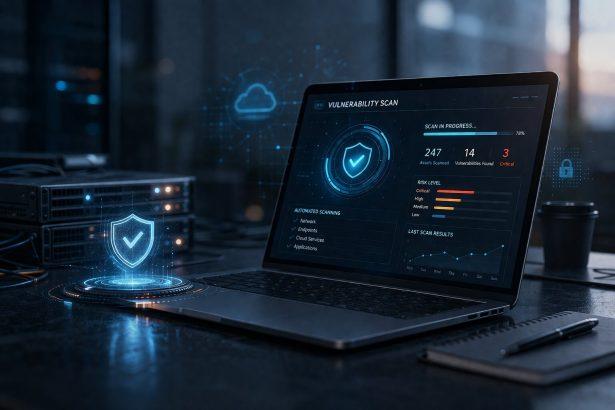
Cyberattacks rarely begin with a dramatic breach. More often, they start with a small, overlooked weakness—a missed patch, an outdated plugin, or a misconfigured system. For small and medium-sized businesses (SMEs), these gaps can remain unnoticed until it is too late.
- Cybersecurity for Business
- What Is Automated Vulnerability Scanning?
- Why Businesses Need Automated Vulnerability Scanning
- 1. Cyber Threats Are Increasingly Automated
- 2. Human Error Is Unavoidable
- 3. IT Environments Are More Complex
- 4. Faster Detection Reduces Damage
- How Automated Vulnerability Scanning Works
- Step 1: Asset Discovery
- Step 2: Vulnerability Identification
- Step 3: Risk Assessment
- Step 4: Reporting and Prioritization
- Step 5: Continuous Monitoring
- Types of Automated Vulnerability Scans
- Benefits of Automated Vulnerability Scanning for Businesses
- 1. Continuous Security Coverage
- 2. Reduced Risk of Data Breaches
- 3. Improved Compliance
- 4. Cost Efficiency
- 5. Faster Incident Response
- Common Challenges and Limitations
- 1. False Positives
- 2. Limited Context Awareness
- 3. Requires Proper Configuration
- 4. Does Not Replace Human Expertise
- Best Practices for Effective Vulnerability Scanning
- Schedule Regular Scans
- Prioritize Critical Vulnerabilities
- Integrate With Patch Management
- Combine With Other Security Tools
- The Role of Automated Vulnerability Scanning in Cybersecurity Strategy
- Strengthening Protection With Business-Focused Security Tools
- Conclusion: Staying Ahead of Cyber Threats Through Automation
- Cybersecurity for Business
This is where automated vulnerability scanning becomes essential. Instead of relying on manual checks or periodic audits, businesses can continuously identify security flaws across their systems, applications, and networks.
As cyber threats grow in frequency and complexity, automation is no longer a luxury—it is a necessity for maintaining operational resilience and protecting sensitive data.
Cybersecurity for Business
Your business faces constantly evolving cyber threats that can jeopardize sensitive data, disrupt operations, and damage your reputation. Our cybersecurity for business solutions are tailored to meet the unique challenges of companies of all sizes, providing robust protection against malware, phishing, ransomware, and more.
Whether you’re a small startup or a large enterprise, we offer multi-license cybersecurity packages that ensure seamless protection for your entire team, across all devices. With advanced features like real-time threat monitoring, endpoint security, and secure data encryption, you can focus on growing your business while we handle your digital security needs.
Get a Free Quote Today! Safeguard your business with affordable and scalable solutions. Contact us now to request a free quote for multi-license cybersecurity packages designed to keep your company safe and compliant. Don’t wait—protect your business before threats strike!
What Is Automated Vulnerability Scanning?
Automated vulnerability scanning is the process of using software tools to systematically inspect IT environments for known security weaknesses.
These tools scan:
- Networks and connected devices
- Servers and cloud infrastructure
- Web applications
- Operating systems and software
- APIs and endpoints
They compare system configurations against databases of known vulnerabilities (such as CVEs—Common Vulnerabilities and Exposures) and generate detailed reports highlighting risks.
Unlike manual assessments, automated scanning runs continuously or on a scheduled basis, ensuring that new vulnerabilities are detected as soon as they appear.
Why Businesses Need Automated Vulnerability Scanning
1. Cyber Threats Are Increasingly Automated
Attackers now use automated tools to scan the internet for vulnerable systems. If cybercriminals are using automation, businesses must respond in kind to avoid being outpaced.
2. Human Error Is Unavoidable
Manual security checks are time-consuming and prone to oversight. A missed update or misconfiguration can expose the entire network.
3. IT Environments Are More Complex
With cloud adoption, remote work, and hybrid infrastructures, businesses now manage:
- Multiple devices per employee
- Cloud-based platforms
- Third-party integrations
- Remote endpoints
This complexity makes manual tracking nearly impossible.
4. Faster Detection Reduces Damage
The sooner a vulnerability is identified, the faster it can be fixed—reducing the window of opportunity for attackers.
How Automated Vulnerability Scanning Works
Understanding the process helps businesses implement it more effectively.
Step 1: Asset Discovery
The scanning tool first identifies all connected assets:
- Devices
- Applications
- IP addresses
- Cloud services
This creates a complete inventory of the IT environment.
Step 2: Vulnerability Identification
The tool compares discovered assets against vulnerability databases to detect:
- Missing security patches
- Outdated software versions
- Weak encryption settings
- Open ports or misconfigurations
Step 3: Risk Assessment
Not all vulnerabilities are equally dangerous. Scanning tools assign risk levels based on:
- Severity of the vulnerability
- Ease of exploitation
- Potential business impact
Step 4: Reporting and Prioritization
Businesses receive a structured report showing:
- Critical issues requiring immediate action
- Medium-risk vulnerabilities
- Low-priority findings
Step 5: Continuous Monitoring
Modern solutions perform ongoing scans, ensuring that new vulnerabilities are detected in real time rather than during periodic audits.
Types of Automated Vulnerability Scans
Different scanning approaches serve different security needs.
Network-Based Scanning
Focuses on identifying vulnerabilities in internal and external networks, including routers, firewalls, and connected devices.
Host-Based Scanning
Examines individual devices or servers for issues such as:
- Misconfigurations
- Missing updates
- Weak permissions
Application Scanning
Targets software applications and web platforms to detect coding flaws and security gaps.
Cloud-Based Scanning
Evaluates cloud environments for risks such as:
- Misconfigured storage
- Excessive permissions
- Unsecured APIs
Benefits of Automated Vulnerability Scanning for Businesses
1. Continuous Security Coverage
Unlike periodic audits, automated scanning ensures 24/7 monitoring of your systems.
2. Reduced Risk of Data Breaches
By identifying vulnerabilities early, businesses can prevent attackers from exploiting them.
3. Improved Compliance
Many regulations require regular vulnerability assessments, including:
- GDPR
- ISO 27001
- PCI DSS
Automation simplifies compliance reporting and audit preparation.
4. Cost Efficiency
Preventing a breach is significantly cheaper than recovering from one. Automated scanning reduces long-term security costs.
5. Faster Incident Response
Security teams can prioritize critical vulnerabilities and act quickly before exploitation occurs.
Common Challenges and Limitations
While powerful, automated vulnerability scanning is not perfect.
1. False Positives
Some tools may flag issues that are not actually exploitable, requiring human validation.
2. Limited Context Awareness
Automated systems may not fully understand business context or operational priorities.
3. Requires Proper Configuration
Poorly configured scanning tools can miss vulnerabilities or overwhelm teams with excessive alerts.
4. Does Not Replace Human Expertise
Automation supports cybersecurity teams but does not replace skilled analysts or penetration testing.
Best Practices for Effective Vulnerability Scanning
To maximize value, businesses should follow these best practices:
Schedule Regular Scans
Run scans:
- Weekly for critical systems
- Monthly for full infrastructure
- After major updates or changes
Prioritize Critical Vulnerabilities
Focus first on issues that:
- Are actively exploited in the wild
- Affect sensitive data systems
- Have high severity ratings
Integrate With Patch Management
Ensure vulnerabilities are not only detected but also resolved through structured patching workflows.
Combine With Other Security Tools
Vulnerability scanning should be part of a broader security strategy including:
- Firewalls
- Endpoint protection
- Email security
- Intrusion detection systems
The Role of Automated Vulnerability Scanning in Cybersecurity Strategy
Automated scanning is not just a technical tool—it is a strategic defense mechanism.
It enables businesses to shift from:
- Reactive security → proactive prevention
- Manual oversight → continuous monitoring
- Isolated checks → integrated risk management
For SMEs in particular, where IT resources may be limited, automation levels the playing field against more sophisticated cyber threats.
Strengthening Protection With Business-Focused Security Tools
Even with strong scanning practices, businesses need layered protection to stay secure. Vulnerabilities often become dangerous only when combined with malware or unauthorized access attempts.
This is where endpoint and malware protection solutions become essential. Tools like SpyHunter with multi-license business support can help organizations:
- Detect and remove malware infections
- Protect multiple devices across teams
- Enhance endpoint security coverage
- Reduce the impact of compromised systems
👉 Learn more about business protection with multi-device licensing here.
Combining automated vulnerability scanning with robust endpoint protection creates a stronger, layered defense strategy.
Conclusion: Staying Ahead of Cyber Threats Through Automation
Cybersecurity threats evolve constantly, and businesses that rely on manual processes alone are increasingly at risk. Automated vulnerability scanning provides a proactive, scalable, and efficient way to identify weaknesses before attackers can exploit them.
However, it works best as part of a broader cybersecurity strategy that includes endpoint protection, employee awareness, and continuous monitoring.
For SMEs aiming to strengthen their defenses, adopting automation is not just an improvement—it is a necessity for long-term resilience.
Next step: Evaluate your current security posture and consider integrating automated vulnerability scanning alongside multi-layered protection tools to reduce risk and improve response time.
Cybersecurity for Business
Your business faces constantly evolving cyber threats that can jeopardize sensitive data, disrupt operations, and damage your reputation. Our cybersecurity for business solutions are tailored to meet the unique challenges of companies of all sizes, providing robust protection against malware, phishing, ransomware, and more.
Whether you’re a small startup or a large enterprise, we offer multi-license cybersecurity packages that ensure seamless protection for your entire team, across all devices. With advanced features like real-time threat monitoring, endpoint security, and secure data encryption, you can focus on growing your business while we handle your digital security needs.
Get a Free Quote Today! Safeguard your business with affordable and scalable solutions. Contact us now to request a free quote for multi-license cybersecurity packages designed to keep your company safe and compliant. Don’t wait—protect your business before threats strike!