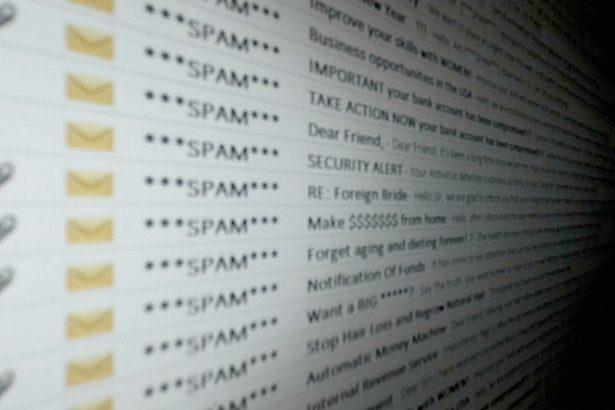
In the digital age, phishing scams have become increasingly sophisticated, targeting users through various forms of deceptive communication. These scams typically involve fraudulent emails or messages designed to trick individuals into revealing sensitive information, downloading malicious software, or making unauthorized transactions. They exploit the trust that users place in legitimate-looking communications from trusted sources.
The Nature of Phishing Scams
Phishing scams aim to deceive users into providing personal, financial, or login information by pretending to be a legitimate entity, such as a bank, service provider, or tech support. They often use a combination of urgent language, convincing graphics, and official-looking email addresses to appear credible. Once the scam has successfully tricked the victim, the consequences can include identity theft, financial loss, or system compromise.
The Webmail Mail Basic Email Scam
The Webmail Mail Basic Email Scam is one such phishing attack designed to mislead users into believing their email account is at risk. Here’s an overview of how this particular scam operates:
Details of the Scam
- Sender Information: The email typically comes from an address such as
support@webmailbasic.comor a similar address that mimics a legitimate webmail provider. - Email Content: The email often contains alarming messages about issues with the user’s email account, such as “suspicious activity” or “suspension of your account due to security reasons.” It may prompt the user to click on a link or download an attachment to resolve the issue.
- Instructions and Details: The email usually provides a link that directs the user to a fraudulent website designed to resemble a legitimate login page. The user is then asked to enter their login credentials, which are captured by the scam operators.
Purpose of the Scam
The primary goal of this scam is to harvest login credentials or other personal information from users. By deceiving individuals into entering their information on a fake login page, scammers gain unauthorized access to their accounts. This can lead to further financial exploitation or identity theft.
Body of the “Webmail – Mail Basic” Email
Text presented in the “Webmail – Mail Basic” spam email letter:
Subject: Customer update for ******** 2-New Messages
Webmail
Customer Service
Customer update for ********
Welcome to Mail Basic
Dear Customer,
We have updated our email security servers.
We have now set up a Mail Basic mailbox for you.
To use Mail Basic and update you security settings, simply log in to Webmail with your email address and password.
Webmail Login
Failure to login and manage your Mail Basic account will amount to deletion of your email account ******** from our primary server 24 hours from 8/13/2024 6:16:04 a.m.
Further information about Mail Basic
Sincerely,
Customer Experience
Your digital partner
From product setup to growing online, your personal consultant is here to help you succeed.
Common Encounters and Similar Threats
Users may encounter such scams in various scenarios, including:
- Unexpected Emails: Receiving unsolicited emails from unfamiliar addresses asking for account verification or security updates.
- Suspicious Links: Clicking on links that seem to direct to official websites but are actually fake or malicious.
- Urgent Requests: Emails that create a sense of urgency, pressuring users to act quickly without verifying the legitimacy of the request.
Similar threats include:
- Tech Support Scams: Where scammers pose as tech support agents needing access to your computer to fix nonexistent issues.
- Account Verification Scams: Requests to verify accounts or update security information, often leading to phishing sites.
Removal Guide for the Webmail Mail Basic Email Scam
If you suspect your system has been compromised by the Webmail Mail Basic Email Scam, follow these steps to remove any associated malware and secure your system:
Step 1: Disconnect from the Internet
To prevent further data loss, disconnect your device from the internet. This will stop any potential communication with the scam’s servers.
Step 2: Run a Full System Scan
- Download and Install SpyHunter: Visit this page download the anti-malware tool. Follow the installation instructions.
- Launch SpyHunter: Open the application and choose the “Full Scan” option. This scan will thoroughly examine your system for any malicious software or components associated with the scam.
- Review and Remove Threats: Once the scan is complete, review the list of detected threats. Select all items related to the scam and follow the prompts to remove them.
Step 3: Change Your Passwords
- Change Email Passwords: Log in to your email account from a secure device and change your password immediately. Use a strong, unique password.
- Update Other Account Passwords: If you used the same password across multiple accounts, update those as well.
Step 4: Enable Two-Factor Authentication (2FA)
To enhance security, enable two-factor authentication on your email and other critical accounts. This adds an additional layer of protection.
Step 5: Monitor Your Accounts
Regularly check your bank and credit accounts for any unauthorized transactions or unusual activity. Report any suspicious findings to the appropriate authorities immediately.
Preventing Future Scams
To avoid falling victim to similar scams in the future:
- Be Cautious with Emails: Always verify the authenticity of emails requesting personal information. Do not click on suspicious links or download attachments from unknown sources.
- Use Reliable Security Software: Keep your anti-malware tools updated and perform regular scans to detect and remove threats.
- Educate Yourself: Stay informed about the latest phishing tactics and security best practices.
Download SpyHunter Today and Scan Your Computer for Free
To ensure your system remains protected from phishing scams and other malware, we recommend downloading SpyHunter. This powerful tool provides comprehensive malware detection and removal capabilities. Scan your computer for free today and secure your digital life.
By following these steps and staying vigilant, you can protect yourself from phishing scams and keep your personal information secure.
If you are still having trouble, consider contacting remote technical support options.