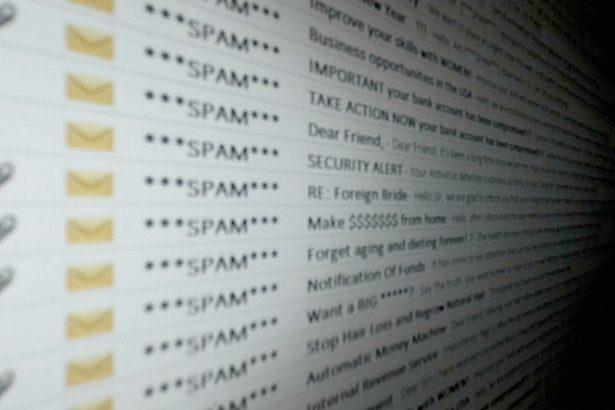
Email scams are fraudulent schemes where attackers use deceptive messages to trick individuals into revealing sensitive information, downloading malware, or making financial transactions. These scams often masquerade as legitimate communications from trusted entities like banks, government agencies, or companies. They exploit social engineering tactics to create a sense of urgency or fear, pushing recipients to act impulsively.
General Purpose and Threat of Email Scams
The primary purpose of email scams is financial gain for the attackers. They typically infiltrate systems through phishing emails that either trick users into clicking malicious links or downloading infected attachments. Once inside a system, these scams can lead to data theft, financial loss, or the installation of additional malware. The threat to an infected system is severe, ranging from compromised personal and financial information to the potential for broader network infiltration and system corruption.
The Irrevocable Payment Order Email Scam
Overview of the Threat
The “Irrevocable Payment Order” email scam is a deceptive phishing attack that uses a sense of urgency and authority to manipulate recipients. This scam often pretends to be a formal notification regarding a financial transaction or a legal matter, creating a false sense of legitimacy to prompt immediate action from the recipient.
Details of the Scam
The email often comes from addresses that look legitimate but are actually spoofed or fake. Common examples include variations of official-looking domains with minor alterations. For instance, it may use addresses like “support@yourbank-secure.com” instead of the actual bank’s domain.
The email typically claims that an irrevocable payment order or legal action is pending, threatening dire consequences if immediate action is not taken. It may include details such as an invoice, payment order, or legal document that appears authentic but is designed to prompt users to click on malicious links or download attachments.
Text presented in the “IRREVOCABLE PAYMENT ORDER” email letter:
Subject: RE Compensation
From:
ECONOMIC AND SOCIAL COUNCIL
INTERNATIONAL ENVIRONMENTAL PROTECTION MOVEMENT
1775 K ST NW # 400, NEW YORK 20006-1500,
UNITED STATES
IRREVOCABLE PAYMENT ORDER
Dear -.
This is to officially inform you that we have verified your contract /inheritance/Winning file and found out why you have not received your payment ,reason because you are still dealing with some None Officials/Ex-staff of the bank, which made your entire attempt to secure the release of your fund abortive.
We wish to advise that such illegal act have to be stopped by you, if you wish to receive your payment since we have decided to bring a solution to your problem.
During the course of our investigation, we discovered with dismay that payment of US$1,500,000.00 (ONE Million Five Hundred United States Dollars only) part payment has been unnecessarily delayed by corrupt officials of the Bank who are Trying to divert your funds into their private accounts.
We will monitor this payment ourselves to avoid the hopeless situation created by officials of the bank.
You are therefore advice to contact your claim agent for your MASTER ATM GOLD CARD below;
CONTACT PERSON: MR .MICHAEL MALAKASA
DIRECT PHONE: +443300010099
E-MAIL: malakasa.mic@yandex.com, jfdesignerevent@gmail.com
PAYOUT AMOUNT: US$1,500,000.00- (One Million, Five Hundred Thousand United States Dollars Only)
1. Your Full Names:
2. Address:
3. Telephone/ Fax Numbers:
4. Copy of Identification for payment:
5. Country of Origin:
Note: Due to imposters, we request you present this reference code to the ATM Card officer ATM/UNSCXX0X5X9X3X24 when contacting him
Please make sure that your reply goes through any of the ATM Director email as stated above. We are sorry for PAIN you must have gone through.
On behalf of UNITED NATIONS
Yours Sincerely
DR. RHAI SAI
UNITED NATIONS OFFICE
Purpose of the Scam
The ultimate goal is to either steal financial information by tricking the recipient into making a payment or to infect the system with malware through attached files or malicious links.
Recipients may encounter this scam when they are expecting legitimate financial transactions, legal notices, or urgent requests. The scam capitalizes on the recipient’s stress or urgency to make them more susceptible to clicking on links or opening attachments without scrutiny.
Similar Threats to Watch Out For
- Phishing Emails from Fake Banks: Emails that appear to be from your bank asking for account verification or sensitive information.
- IRS or Tax-Related Scams: Emails pretending to be from tax authorities threatening legal action unless personal information is provided.
- Fake Invoices or Bills: Emails claiming you owe money and prompting immediate payment or downloading of invoices.
Comprehensive Removal Guide
If you have been targeted by this scam and suspect malware installation, follow these steps to remove it:
- Disconnect from the Internet: This prevents any further data transmission and stops the malware from spreading.
- Boot into Safe Mode:
- Restart your computer and press
F8(orShift + F8on some systems) before Windows loads to access Safe Mode. - Select “Safe Mode with Networking” if you need internet access for the removal process.
- Restart your computer and press
- Delete Suspicious Files: Open
File Explorerand navigate to theDownloadsorDocumentsfolder to find and delete any files you downloaded from the phishing email. - Run a Full System Scan:
- Download and install SpyHunter – a reputable anti-malware tool.
- Open SpyHunter, update it to the latest virus definitions, and run a comprehensive scan of your system.
- Follow the prompts to quarantine or remove any detected threats.
- Check Browser Extensions: Open your browser settings and review installed extensions. Remove any that look suspicious or that you did not install intentionally.
- Update and Patch Your Software: Ensure your operating system, antivirus software, and other applications are up-to-date to close any security vulnerabilities.
- Change Passwords: If you suspect your passwords might have been compromised, change them immediately. Use a secure, unique password for each account.
- Monitor Financial Statements: Keep a close eye on your bank and credit card statements for any unauthorized transactions.
Preventing Future Scams
- Educate Yourself: Stay informed about common phishing tactics and scam types.
- Verify Suspicious Emails: Always verify the legitimacy of unexpected emails by contacting the supposed sender through official channels.
- Use Reliable Security Software: Install and regularly update anti-malware software like SpyHunter.
- Be Cautious with Links and Attachments: Avoid clicking on links or opening attachments from unknown or suspicious sources.
By following these guidelines and remaining vigilant, you can protect yourself from phishing scams and ensure your system remains secure.