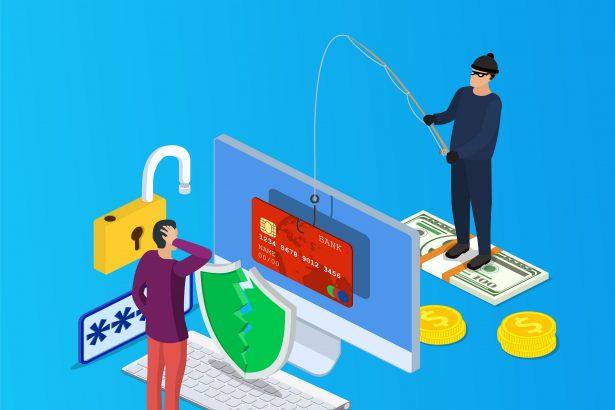
Phishing scams have become a pervasive threat in the digital age, targeting unsuspecting individuals and organizations through deceptive emails, messages, and websites. These scams aim to trick recipients into divulging sensitive information, downloading malware, or performing actions that compromise their security. The ultimate goal of phishing attacks varies but often includes stealing personal data, financial gain, or gaining unauthorized access to systems.
The Nature of Phishing Scams
Phishing scams typically use email as their primary vector, disguising malicious messages as legitimate communications from trusted entities. These emails often contain urgent requests, enticing offers, or alarming notifications that prompt recipients to take immediate action. The emails may include links to fake websites designed to capture login credentials or attachments that install malware on the victim’s device.
General Purpose and Infiltration Methods
The primary purpose of phishing scams is to deceive victims into providing valuable information or access. Common objectives include:
- Stealing Personal Information: Phishing emails often ask for personal details such as usernames, passwords, credit card numbers, and social security numbers.
- Installing Malware: Attachments or links in phishing emails can download malware, including ransomware, spyware, or trojans, onto the victim’s system.
- Financial Gain: Scammers may trick victims into making payments or transferring money.
Phishing emails infiltrate systems through various means, such as:
- Email Attachments: Malicious files attached to emails that, when opened, execute harmful software.
- Deceptive Links: URLs leading to fake websites that mimic legitimate ones to steal login information.
- Social Engineering: Manipulating recipients into performing actions that compromise their security.
The Threat to Infected Systems and Individuals
When a system is infiltrated by a phishing scam, the consequences can be severe:
- Data Theft: Sensitive information is stolen, leading to identity theft and financial loss.
- System Compromise: Malware can allow attackers to control the system, access files, and monitor activity.
- Financial Impact: Victims may suffer financial losses due to fraudulent transactions or ransom payments.
The “Email Due for Validation Removal” Scam
A recent phishing scam identified as the “Email Due for Validation Removal” threat demonstrates the typical characteristics and dangers of phishing attacks. This scam is sent from the email address “administration@support.com” and urges recipients to validate their email to avoid removal. The email contains specific instructions and details:
- Sender: administration@support.com
- Subject: “Email Due for Validation Removal”
- Content: The email claims that the recipient’s email account will be removed unless validated. It includes a link to a fake validation page designed to steal login credentials.
Purpose of the Scam
The primary objective of the “Email Due for Validation Removal” scam is to deceive recipients into providing their email login credentials. By tricking users into entering their information on a fake validation page, scammers gain access to email accounts, which they can then use for various malicious activities, such as:
- Spreading Further Phishing Emails: Using compromised email accounts to send more phishing emails to contacts.
- Identity Theft: Accessing personal information stored in emails.
- Financial Fraud: Using email accounts to reset passwords for financial accounts and steal money.
Common Encounter Reasons
Recipients may encounter this scam for several reasons:
- Random Targeting: Scammers send phishing emails to large lists of email addresses, hoping some recipients will fall for the trap.
- Data Breaches: Email addresses obtained from data breaches are targeted.
- Publicly Available Information: Scammers use email addresses found on public websites and social media.
Similar Threats
Similar phishing threats include:
- Account Suspension Scams: Emails claiming accounts will be suspended unless action is taken.
- Security Alert Scams: Emails warning of unauthorized access and urging recipients to verify their accounts.
- Invoice Scams: Fake invoices prompting recipients to make payments.
Comprehensive Removal Guide
If you’ve fallen victim to the “Email Due for Validation Removal” scam, follow these steps to remove any associated malware and secure your system:
Step 1: Disconnect from the Internet
- Why: Prevent further communication with the attacker’s server.
- How: Turn off Wi-Fi or unplug the Ethernet cable.
Step 2: Enter Safe Mode
- Why: Only essential system programs and services are loaded, reducing the chance of malware running.
- How:
- For Windows: Restart the computer and press F8 before the Windows logo appears, then select “Safe Mode.”
- For Mac: Restart the computer and hold the Shift key until the Apple logo appears.
Step 3: Run a Full System Scan
- Why: Detect and remove malware.
- How: Use a reputable antivirus or anti-malware program to scan your system. Recommended options include Malwarebytes, Norton, or Bitdefender.
Step 4: Delete Suspicious Files
- Why: Remove any files that may have been downloaded by the phishing email.
- How: Check your Downloads folder and other directories for unfamiliar files and delete them.
Step 5: Change Passwords
- Why: Secure accounts that may have been compromised.
- How: Change the passwords for your email and any other accounts that use the same credentials.
Step 6: Update Software
- Why: Ensure all security patches and updates are installed.
- How: Update your operating system, browser, and any other software to the latest versions.
Step 7: Enable Two-Factor Authentication (2FA)
- Why: Adds an extra layer of security to your accounts.
- How: Enable 2FA on your email and other important accounts using a phone number or authentication app.
Preventing Future Phishing Scams
To avoid falling victim to phishing scams in the future, follow these guidelines:
- Be Skeptical: Always question unsolicited emails, especially those requesting personal information or urgent actions.
- Verify the Sender: Check the sender’s email address and look for discrepancies.
- Hover Over Links: Before clicking, hover over links to see the actual URL.
- Use Security Software: Keep your antivirus and anti-malware software up to date.
- Educate Yourself: Stay informed about common phishing tactics and red flags.
By understanding the nature of phishing scams and following these guidelines, you can protect yourself from falling victim to such threats and ensure the security of your personal and professional information.