


www.itfunk.orgwww.itfunk.orgwww.itfunk.org
  • Home
  • Tech News
    Tech NewsShow More
    Zero Trust: How a Security Idea Became a Blueprint
    41 Min Read
    Cybersecurity Law Expiration Could Unleash New Ransomware Surge – Former FBI Official Sounds the Alarm
    8 Min Read
    Under the Hood of Microsoft’s May 2025 Patch Tuesday: The CLFS and WinSock Problem Microsoft Can’t Seem to Fix
    7 Min Read
    The Hidden Sabotage: How Malicious Go Modules Quietly Crashed Linux Systems
    6 Min Read
    Agentic AI: The Next Frontier in Cybersecurity Defense and Risk​
    5 Min Read
  • Cyber Threats
    • Malware
    • Ransomware
    • Trojans
    • Adware
    • Browser Hijackers
    • Mac Malware
    • Android Threats
    • iPhone Threats
    • Potentially Unwanted Programs (PUPs)
    • Online Scams
    • Microsoft CVE Vulnerabilities
  • How To Guides
    How To GuidesShow More
    Tasksche.exe Malware
    Nviqri Someq Utils Unwanted Application
    4 Min Read
    How to Deal With Rbx.fund Scam
    4 Min Read
    How to Jailbreak DeepSeek: Unlocking AI Without Restrictions
    4 Min Read
    Why Streaming Services Geo-Restrict Content?
    10 Min Read
  • Product Reviews
    • Hardware
    • Software
  • IT/Cybersecurity Best Practices
    IT/Cybersecurity Best PracticesShow More
    Zero Trust: How a Security Idea Became a Blueprint
    41 Min Read
    Under the Hood of Microsoft’s May 2025 Patch Tuesday: The CLFS and WinSock Problem Microsoft Can’t Seem to Fix
    7 Min Read
    Affordable Endpoint Protection Platforms (EPP) for Small Businesses
    5 Min Read
    Outlaw Malware: A Persistent Threat Exploiting Linux Servers
    4 Min Read
    CVE-2024-48248: Critical NAKIVO Backup & Replication Flaw Actively Exploited—Patch Immediately
    6 Min Read
  • FREE SCAN
  • Cybersecurity for Business
Search
  • ABOUT US
  • TERMS AND SERVICES
  • SITEMAP
  • CONTACT US
© 2023 ITFunk.org. All Rights Reserved.
Reading: Intuit QuickBooks Database Encryption Upgrade: Unraveling a Phishing Scam
Share
Notification Show More
Font ResizerAa
www.itfunk.orgwww.itfunk.org
Font ResizerAa
  • Tech News
  • How To Guides
  • Cyber Threats
  • Product Reviews
  • Cybersecurity for Business
  • Free Scan
Search
  • Home
  • Tech News
  • Cyber Threats
    • Malware
    • Ransomware
    • Trojans
    • Adware
    • Browser Hijackers
    • Mac Malware
    • Android Threats
    • iPhone Threats
    • Potentially Unwanted Programs (PUPs)
    • Online Scams
  • How To Guides
  • Product Reviews
    • Hardware
    • Software
  • IT/Cybersecurity Best Practices
  • Cybersecurity for Business
  • FREE SCAN
Follow US
  • ABOUT US
  • TERMS AND SERVICES
  • SITEMAP
  • CONTACT US
© 2023 ITFunk.org All Rights Reserved.
www.itfunk.org > Blog > Cyber Threats > Online Scams > Intuit QuickBooks Database Encryption Upgrade: Unraveling a Phishing Scam
IT/Cybersecurity Best PracticesOnline Scams

Intuit QuickBooks Database Encryption Upgrade: Unraveling a Phishing Scam

ITFunk Research
Last updated: October 18, 2023 12:59 pm
ITFunk Research
Share
Intuit QuickBooks Database Encryption Upgrade: Unraveling a Phishing Scam
SHARE

In today’s interconnected world, online security is of paramount importance. Businesses and individuals rely on various software tools and platforms to manage their finances, and QuickBooks by Intuit is one such widely-used accounting software. While software updates and enhancements are common, it’s crucial to be cautious about unexpected emails claiming to offer database encryption upgrades, such as the “Intuit QuickBooks Database Encryption Upgrade.” This article will explore what this email scam is, what it aims to do, how it spreads, and how to avoid falling victim to it.

Contents
What is Intuit QuickBooks Database Encryption Upgrade?What Does QuickBooks Database Encryption Upgrade Claim to Do?How Does It Spreads?Avoiding the ScamVerify the SenderBeware of UrgencyDouble-Check LinksDo Not Share Personal InformationEnable Two-Factor Authentication (2FA)Educate Yourself

What is Intuit QuickBooks Database Encryption Upgrade?

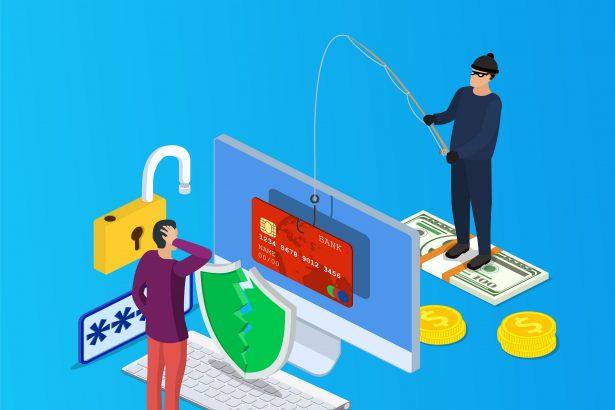
The “Intuit QuickBooks Database Encryption Upgrade” is not an actual upgrade or legitimate communication from Intuit, the reputable American business software company. Rather, it is a deceptive phishing scam designed to trick recipients into providing their personal information, specifically their email addresses and passwords.

What Does QuickBooks Database Encryption Upgrade Claim to Do?

In this phishing email, the sender impersonates Intuit and claims that they have enhanced the database encryption for QuickBooks to improve security for online payments. The email urges recipients to download an attachment that supposedly safeguards their QuickBooks account. The message promises that users will receive timely notifications of any account activity to ensure its safety.

The email is designed to create a sense of urgency and fear, as it plays on the user’s concerns about the security of their financial information. It includes a security logo and emphasizes the importance of checking links for “intuit.com/” in the address. Recipients are instructed not to reply to the email and are directed to a “security.intuit.com/phishing” FAQ site for more information.

How Does It Spreads?

Phishing scams like the “Intuit QuickBooks Database Encryption Upgrade” typically spread through email. These emails are crafted to look convincing and often contain attachments or links that seem legitimate at first glance. In this case, the email includes an attachment named “QuickBook_Security_Update.html” or something similar.

The attachment serves as a malicious gateway. When recipients open the attachment, they are directed to a deceptive web page designed to mimic a login portal for QuickBooks. It prompts users to enter their Outlook email credentials, including their email address and password. However, the information entered is not used to upgrade database encryption but is collected by the scammers for unauthorized purposes.

Avoiding the Scam

Protecting yourself from phishing scams like the “Intuit QuickBooks Database Encryption Upgrade” is crucial. Here are some essential steps to avoid falling victim to such scams:

Verify the Sender

Always verify the sender’s email address and check for any suspicious or unusual email addresses. Legitimate companies like Intuit will have official domain names.

Beware of Urgency

Phishing emails often create a sense of urgency to prompt quick actions. Be cautious if you’re pressured to act immediately.

Double-Check Links

Before clicking on any links, hover your cursor over them to see where they lead. Verify that the URL matches the official website of the company.

Do Not Share Personal Information

Never share sensitive personal information, such as email credentials, in response to unsolicited emails.

Enable Two-Factor Authentication (2FA)

Enabling 2FA adds an extra layer of security to your accounts, making it more difficult for scammers to gain unauthorized access.

Educate Yourself

Stay informed about common phishing tactics and be vigilant when it comes to suspicious emails.

The “Intuit QuickBooks Database Encryption Upgrade” email is just one example of the many phishing scams that cybercriminals employ to gain unauthorized access to personal and financial information. Recognizing the signs of phishing and taking precautionary measures is crucial to protect yourself and your sensitive data from falling into the wrong hands. Always be cautious, verify the authenticity of emails, and never share personal information in response to unsolicited requests. By doing so, you can safeguard your online security and financial well-being.


You Might Also Like

“Email Address Verification Formal Notice” Scam
Parasail Giveaway Scam
CloudSync Scam
Rezdax Crypto Scam
With Matchain (MAT) Airdrop Scam
TAGGED:Online ScamsOnline ThreatsPhishing

Sign Up For Daily Newsletter

Be keep up! Get the latest breaking news delivered straight to your inbox.
By signing up, you agree to our Terms of Use and acknowledge the data practices in our Privacy Policy. You may unsubscribe at any time.
Share This Article
Facebook Copy Link Print
Share
Previous Article Best Ways to Protect Your Mac when Dealing with UltraWebFormat
Next Article Keylock Ransomware: Threat Analysis, Behavior, and Protection
Leave a Comment

Leave a Reply Cancel reply

Your email address will not be published. Required fields are marked *

Scan Your System for Malware

Don’t leave your system unprotected. Download SpyHunter today for free, and scan your device for malware, scams, or any other potential threats. Stay Protected!

Download SpyHunter 5
Download SpyHunter for Mac
✅ Free Scan Available • ⭐ Catches malware instantly
//

Check in Daily for the best technology and Cybersecurity based content on the internet.

Quick Link

  • ABOUT US
  • TERMS AND SERVICES
  • SITEMAP
  • CONTACT US

Support

Sign Up for Our Newesletter

Subscribe to our newsletter to get our newest articles instantly!


www.itfunk.orgwww.itfunk.org
© 2023 www.itfunk.org. All Rights Reserved.
  • ABOUT US
  • TERMS AND SERVICES
  • SITEMAP
  • CONTACT US
Welcome Back!

Sign in to your account

Username or Email Address
Password

Lost your password?