


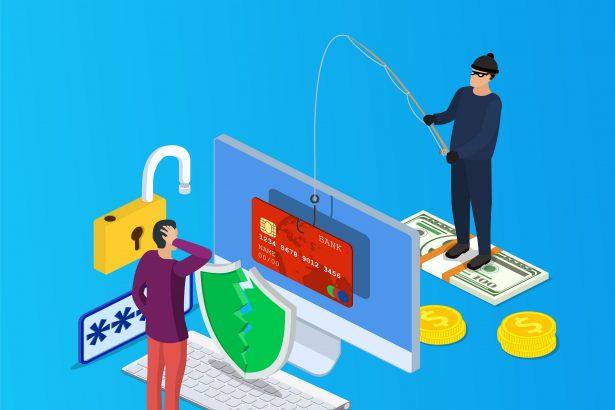
In recent times, a dangerous phishing scam has been circulating, targeting unsuspecting individuals through deceptive emails with the subject “Action Required: mailbox error.” This fraudulent email, commonly known as “Increase Your Mail Box Storage Capacity,” falsely claims that the recipient’s mailbox has reached its storage limit and urges them to take immediate action to increase it.
Phishing Scam Overview
The email, with various subject lines such as “Action Required: mailbox error,” informs the recipient that their email account has reached its 25 GB storage capacity. Allegedly, this has led to failed message deliveries, leaving several messages pending in the system. To resolve this issue, the recipient is prompted to click on a provided link, purportedly leading to a solution that increases their mailbox storage to 50 GB, thus allowing incoming messages.
However, it is crucial to note that these claims are entirely false, and the email is not associated with any legitimate service providers. The intention behind this phishing scam is to trick recipients into providing their email login credentials.
Phishing Website and Potential Threats
Upon clicking the link in the email, users are redirected to a phishing website. This fraudulent site mimics a legitimate login page and prompts visitors to enter their email credentials. Falling victim to this scam means exposing one’s email account to cybercriminals who can misuse the obtained credentials for various malicious activities.
The potential misuse includes stealing the identities of social account owners, leading to requests for loans from contacts, promoting scams, and spreading malware through shared malicious links or files. Moreover, any sensitive or confidential content found on data storage platforms could be exploited for blackmail or other nefarious purposes. Financial accounts linked to the compromised email may also be used for fraudulent transactions and online purchases.
Threat Summary
- Name: “Increase Your Mail Box Storage Capacity” phishing email
- Threat Type: Phishing, Scam, Social Engineering, Fraud
- Fake Claim: Mailbox storage capacity has been reached, and incoming messages are failing delivery.
- Related Domain: hjh98[.]ru
- Detection Names (hjh98[.]ru): Combo Cleaner (Malware), CRDF (Malicious), Criminal IP (Phishing), CyRadar (Malicious), G-Data (Malware), Full List Of Detections (VirusTotal)
- Serving IP Address (hjh98[.]ru): 172.67.195.203
- Symptoms: Unauthorized online purchases, changed online account passwords, identity theft, illegal access to the computer.
- Distribution methods: Deceptive emails, rogue online pop-up ads, search engine poisoning techniques, misspelled domains.
- Damage: Loss of sensitive private information, monetary loss, identity theft.
Text of the Phishing Email
Subject: Action Required: mailbox error
********
Dear ********
Your Mailbox (********) has reached it Limit of (25GB) Capacity Allocated, You have some messages pending on the server.
Please you need to login to the web address below to Increase your Mail box Storage Capacity to 50GB to allow you receive the new incoming messages pending on the server.
Follow the Web-address to increase your storage capacity
–
Please allow 15 minutes to activate the account.
Regards
IT Help Desk
******** Administrator Server
Text presented in the “Increase Your Mail Box Storage Capacity” spam email body
Protecting Yourself from Phishing Scams
Protecting your system from phishing scams is crucial for maintaining online security. Here are some practical instructions to help you avoid falling victim to phishing attempts:
Be Skeptical of Emails
- Exercise caution with unexpected emails, especially those that claim urgency or convey alarming messages.
- Verify the sender’s email address and check for any suspicious or misspelled domains.
Check Email Content
- Be wary of emails that ask for sensitive information, such as passwords or financial details.
- Look for grammatical errors, unusual language, or generic greetings, as these can be indicators of phishing attempts.
Hover Before You Click
- Hover your mouse over any links in emails to preview the actual URL. Ensure it matches the expected destination and is from a legitimate source.
Avoid Clicking on Suspicious Links
- Refrain from clicking on links or downloading attachments from emails that seem suspicious or unexpected.
- If the email claims to be from a reputable organization, visit their official website directly by typing the URL in your browser instead of clicking the provided link.
Use Two-Factor Authentication (2FA)
- Enable 2FA wherever possible. Even if your credentials are compromised, an additional layer of authentication adds an extra barrier for unauthorized access.
Educate Yourself
- Stay informed about common phishing tactics and the latest scams. Awareness is a powerful tool in recognizing and avoiding phishing attempts.
Keep Software Updated
- Regularly update your operating system, browsers, and security software. These updates often include patches for vulnerabilities that cybercriminals may exploit.
Use a Reputable Antivirus Program
- Install and maintain reputable antivirus and anti-malware software. These programs can help detect and prevent phishing attempts and malicious software.
Verify Requests for Personal Information
- Legitimate organizations typically do not request sensitive information via email. If in doubt, contact the organization directly through official channels to verify the request.
Secure Your Wi-Fi
- Ensure your home Wi-Fi network is password-protected and uses strong encryption. This helps prevent unauthorized access to your internet connection.
Regularly Monitor Your Accounts
- Keep a close eye on your bank accounts, emails, and other online accounts for any suspicious activities. Report any unauthorized transactions or access immediately.
Educate Your Team or Family:
- If applicable, educate your family members or colleagues about phishing risks. Encourage them to follow similar best practices to collectively strengthen your overall cybersecurity.
By following these instructions and remaining vigilant, you can significantly reduce the risk of falling victim to phishing scams and enhance the overall security of your system and personal information.
Conclusion
In conclusion, the “Increase Your Mail Box Storage Capacity” phishing scam serves as a stark reminder of the evolving and sophisticated techniques employed by cybercriminals to exploit unsuspecting individuals. This deceptive email preys on the urgency of recipients, falsely claiming mailbox storage issues and prompting them to take immediate action. The associated phishing website, hjh98[.]ru, poses a serious threat by attempting to harvest email login credentials, paving the way for a cascade of potential misuse, from identity theft to the propagation of scams and malware.
As outlined in the provided instructions, safeguarding oneself from phishing scams requires a combination of skepticism, awareness, and proactive measures. By scrutinizing email content, verifying sender information, and adopting secure online practices, individuals can significantly reduce the likelihood of falling victim to such scams. Additionally, embracing security measures like two-factor authentication, regular software updates, and the use of reputable antivirus programs adds layers of defense against evolving cyber threats.
Ultimately, a collective effort is needed to combat phishing scams effectively. Education and awareness campaigns, both at an individual and organizational level, can empower users to recognize and thwart phishing attempts. By fostering a culture of cybersecurity, we can collectively contribute to a safer online environment, protecting sensitive information and mitigating the potential damages associated with phishing scams.

