


www.itfunk.orgwww.itfunk.orgwww.itfunk.org
  • Home
  • Tech News
    Tech NewsShow More
    Zero Trust: How a Security Idea Became a Blueprint
    41 Min Read
    Cybersecurity Law Expiration Could Unleash New Ransomware Surge – Former FBI Official Sounds the Alarm
    8 Min Read
    Under the Hood of Microsoft’s May 2025 Patch Tuesday: The CLFS and WinSock Problem Microsoft Can’t Seem to Fix
    7 Min Read
    The Hidden Sabotage: How Malicious Go Modules Quietly Crashed Linux Systems
    6 Min Read
    Agentic AI: The Next Frontier in Cybersecurity Defense and Risk​
    5 Min Read
  • Cyber Threats
    • Malware
    • Ransomware
    • Trojans
    • Adware
    • Browser Hijackers
    • Mac Malware
    • Android Threats
    • iPhone Threats
    • Potentially Unwanted Programs (PUPs)
    • Online Scams
    • Microsoft CVE Vulnerabilities
  • How To Guides
    How To GuidesShow More
    Tasksche.exe Malware
    Nviqri Someq Utils Unwanted Application
    4 Min Read
    How to Deal With Rbx.fund Scam
    4 Min Read
    How to Jailbreak DeepSeek: Unlocking AI Without Restrictions
    4 Min Read
    Why Streaming Services Geo-Restrict Content?
    10 Min Read
  • Product Reviews
    • Hardware
    • Software
  • IT/Cybersecurity Best Practices
    IT/Cybersecurity Best PracticesShow More
    Zero Trust: How a Security Idea Became a Blueprint
    41 Min Read
    Under the Hood of Microsoft’s May 2025 Patch Tuesday: The CLFS and WinSock Problem Microsoft Can’t Seem to Fix
    7 Min Read
    Affordable Endpoint Protection Platforms (EPP) for Small Businesses
    5 Min Read
    Outlaw Malware: A Persistent Threat Exploiting Linux Servers
    4 Min Read
    CVE-2024-48248: Critical NAKIVO Backup & Replication Flaw Actively Exploited—Patch Immediately
    6 Min Read
  • FREE SCAN
  • Cybersecurity for Business
Search
  • ABOUT US
  • TERMS AND SERVICES
  • SITEMAP
  • CONTACT US
© 2023 ITFunk.org. All Rights Reserved.
Reading: “CashAid Project” Email Scam: Recognizing and Defending Against Deceptive Tactics
Share
Notification Show More
Font ResizerAa
www.itfunk.orgwww.itfunk.org
Font ResizerAa
  • Tech News
  • How To Guides
  • Cyber Threats
  • Product Reviews
  • Cybersecurity for Business
  • Free Scan
Search
  • Home
  • Tech News
  • Cyber Threats
    • Malware
    • Ransomware
    • Trojans
    • Adware
    • Browser Hijackers
    • Mac Malware
    • Android Threats
    • iPhone Threats
    • Potentially Unwanted Programs (PUPs)
    • Online Scams
  • How To Guides
  • Product Reviews
    • Hardware
    • Software
  • IT/Cybersecurity Best Practices
  • Cybersecurity for Business
  • FREE SCAN
Follow US
  • ABOUT US
  • TERMS AND SERVICES
  • SITEMAP
  • CONTACT US
© 2023 ITFunk.org All Rights Reserved.
www.itfunk.org > Blog > Cyber Threats > Online Scams > “CashAid Project” Email Scam: Recognizing and Defending Against Deceptive Tactics
How To GuidesIT/Cybersecurity Best PracticesOnline Scams

“CashAid Project” Email Scam: Recognizing and Defending Against Deceptive Tactics

ITFunk Research
Last updated: January 24, 2024 5:49 pm
ITFunk Research
Share
"CashAid Project" Email Scam: Recognizing and Defending Against Deceptive Tactics
SHARE

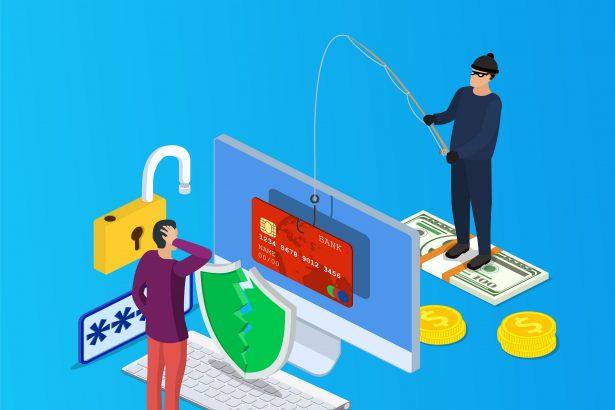
The digital landscape is rife with cyber threats, and one such menace is the “CashAid Project” email scam. This phishing campaign preys on unsuspecting individuals, attempting to trick them into divulging sensitive information or sending funds under the guise of a charitable initiative. This article aims to expose the tactics employed by the scammers, the potential consequences for recipients, and offers guidance on detection, prevention, and handling.

Contents
Actions and ConsequencesDeceptive Email ContentPotential ConsequencesPrevention and Best Practices

Actions and Consequences

The “CashAid Project” email scam operates as a classic phishing attempt, masquerading as a benevolent grant from the Children Charity Foundation (CCF). The deceptive email claims that the recipient has been selected as a beneficiary for a substantial grant, enticing them with promises of financial assistance for charity work and personal business development.

Deceptive Email Content

  1. Generic Salutation: The email addresses the recipient as a “Grant Beneficiary,” employing a generic salutation to create an illusion of legitimacy.
  2. False Congratulations: The scam congratulates the recipient on being selected for the CashAid Grant, fostering a false sense of achievement.
  3. Random Selection Claim: The sender alleges that the recipient’s email address was randomly chosen during a selection process involving seminar/conference attendees and internet users.
  4. Grant Components: The email outlines two components of the grant – one for charity work and another for personal business development – totaling $2,740,000.
  5. Request for Personal Information: Recipients are prompted to fill out a “Grant Payment Scheme Voucher Form” (GPSV) attached to the email, potentially exposing personal details.

Potential Consequences

  1. Identity Theft: Disclosure of personal information could lead to identity theft, compromising sensitive data such as full names, addresses, and dates of birth.
  2. Financial Loss: Scammers may attempt to extract upfront fees or additional charges under various pretexts, resulting in monetary loss for the victim.
  3. Unauthorized Access: The scam might involve tactics to gain unauthorized access to the recipient’s computer or accounts.

Prevention and Best Practices

  1. Critical Evaluation: Scrutinize unexpected emails, especially those claiming financial benefits, and exercise skepticism.
  2. Avoid Clicking Links/Attachments: Refrain from clicking on links or downloading attachments from unsolicited emails, as they may harbor malware.
  3. Verification: Verify the legitimacy of unexpected grants or awards through official channels, such as contacting the supposed organization directly using trusted contact information.
  4. Secure Personal Information: Avoid sharing sensitive information online unless absolutely necessary, and be cautious about the details provided in response to unsolicited emails.
  5. Use Two-Factor Authentication: Enable two-factor authentication where available to add an extra layer of security to online accounts.
  6. Educate and Stay Informed: Educate yourself and others about common phishing tactics, staying informed about emerging threats in the cybersecurity landscape.

By understanding the tactics of the “CashAid Project” email scam and implementing vigilant practices, individuals can safeguard themselves against falling victim to phishing attempts and enhance their overall cybersecurity posture.


You Might Also Like

“Email Address Verification Formal Notice” Scam
Parasail Giveaway Scam
CloudSync Scam
Rezdax Crypto Scam
With Matchain (MAT) Airdrop Scam
TAGGED:Email ScamsPhishingPhishing Emails

Sign Up For Daily Newsletter

Be keep up! Get the latest breaking news delivered straight to your inbox.
By signing up, you agree to our Terms of Use and acknowledge the data practices in our Privacy Policy. You may unsubscribe at any time.
Share This Article
Facebook Copy Link Print
Share
Previous Article Flameforgesmith: Battling the Browser Hijacker
Next Article Kasseika Ransomware: Understanding the Threat, Consequences, and Protection Measures
Leave a Comment

Leave a Reply Cancel reply

Your email address will not be published. Required fields are marked *

Scan Your System for Malware

Don’t leave your system unprotected. Download SpyHunter today for free, and scan your device for malware, scams, or any other potential threats. Stay Protected!

Download SpyHunter 5
Download SpyHunter for Mac
✅ Free Scan Available • ⭐ Catches malware instantly
//

Check in Daily for the best technology and Cybersecurity based content on the internet.

Quick Link

  • ABOUT US
  • TERMS AND SERVICES
  • SITEMAP
  • CONTACT US

Support

Sign Up for Our Newesletter

Subscribe to our newsletter to get our newest articles instantly!


www.itfunk.orgwww.itfunk.org
© 2023 www.itfunk.org. All Rights Reserved.
  • ABOUT US
  • TERMS AND SERVICES
  • SITEMAP
  • CONTACT US
Welcome Back!

Sign in to your account

Username or Email Address
Password

Lost your password?