


www.itfunk.orgwww.itfunk.orgwww.itfunk.org
  • Home
  • Tech News
    Tech NewsShow More
    Zero Trust: How a Security Idea Became a Blueprint
    41 Min Read
    Cybersecurity Law Expiration Could Unleash New Ransomware Surge – Former FBI Official Sounds the Alarm
    8 Min Read
    Under the Hood of Microsoft’s May 2025 Patch Tuesday: The CLFS and WinSock Problem Microsoft Can’t Seem to Fix
    7 Min Read
    The Hidden Sabotage: How Malicious Go Modules Quietly Crashed Linux Systems
    6 Min Read
    Agentic AI: The Next Frontier in Cybersecurity Defense and Risk​
    5 Min Read
  • Cyber Threats
    • Malware
    • Ransomware
    • Trojans
    • Adware
    • Browser Hijackers
    • Mac Malware
    • Android Threats
    • iPhone Threats
    • Potentially Unwanted Programs (PUPs)
    • Online Scams
    • Microsoft CVE Vulnerabilities
  • How To Guides
    How To GuidesShow More
    Tasksche.exe Malware
    Nviqri Someq Utils Unwanted Application
    4 Min Read
    How to Deal With Rbx.fund Scam
    4 Min Read
    How to Jailbreak DeepSeek: Unlocking AI Without Restrictions
    4 Min Read
    Why Streaming Services Geo-Restrict Content?
    10 Min Read
  • Product Reviews
    • Hardware
    • Software
  • IT/Cybersecurity Best Practices
    IT/Cybersecurity Best PracticesShow More
    Zero Trust: How a Security Idea Became a Blueprint
    41 Min Read
    Under the Hood of Microsoft’s May 2025 Patch Tuesday: The CLFS and WinSock Problem Microsoft Can’t Seem to Fix
    7 Min Read
    Affordable Endpoint Protection Platforms (EPP) for Small Businesses
    5 Min Read
    Outlaw Malware: A Persistent Threat Exploiting Linux Servers
    4 Min Read
    CVE-2024-48248: Critical NAKIVO Backup & Replication Flaw Actively Exploited—Patch Immediately
    6 Min Read
  • FREE SCAN
  • Cybersecurity for Business
Search
  • ABOUT US
  • TERMS AND SERVICES
  • SITEMAP
  • CONTACT US
© 2023 ITFunk.org. All Rights Reserved.
Reading: “Capital One – Unusual Spending Activities Detected” Email Scam
Share
Notification Show More
Font ResizerAa
www.itfunk.orgwww.itfunk.org
Font ResizerAa
  • Tech News
  • How To Guides
  • Cyber Threats
  • Product Reviews
  • Cybersecurity for Business
  • Free Scan
Search
  • Home
  • Tech News
  • Cyber Threats
    • Malware
    • Ransomware
    • Trojans
    • Adware
    • Browser Hijackers
    • Mac Malware
    • Android Threats
    • iPhone Threats
    • Potentially Unwanted Programs (PUPs)
    • Online Scams
  • How To Guides
  • Product Reviews
    • Hardware
    • Software
  • IT/Cybersecurity Best Practices
  • Cybersecurity for Business
  • FREE SCAN
Follow US
  • ABOUT US
  • TERMS AND SERVICES
  • SITEMAP
  • CONTACT US
© 2023 ITFunk.org All Rights Reserved.
www.itfunk.org > Blog > Cyber Threats > Online Scams > “Capital One – Unusual Spending Activities Detected” Email Scam
Online Scams

“Capital One – Unusual Spending Activities Detected” Email Scam

ITFunk Research
Last updated: January 23, 2025 9:41 pm
ITFunk Research
Share
"Capital One - Unusual Spending Activities Detected" Email Scam
SHARE

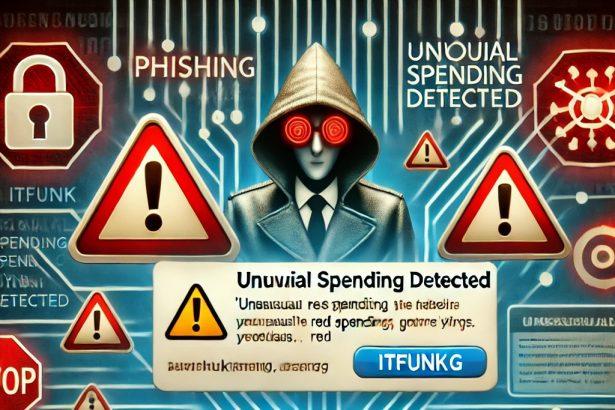
The “Capital One – Unusual Spending Activities Detected” scam email is part of a phishing campaign targeting unsuspecting individuals. Disguised as a fraud notification from Capital One, a legitimate financial institution in the United States, this email is designed to manipulate recipients into revealing sensitive information or taking harmful actions.

Contents
What Is the “Capital One – Unusual Spending Activities Detected” Email Scam?Scan Your Computer for Free with SpyHunterObjectives of the ScamThreat SummaryScan Your Computer for Free with SpyHunterDetailed Analysis of the ScamSymptoms of InfectionDistribution MethodsDamage PotentialHow to Remove Malware?Scan Your Computer for Free with SpyHunterStep 1: Download and Install SpyHunterStep 2: Perform a Full System ScanStep 3: Review Detected ThreatsStep 4: Remove Detected MalwarePreventive Methods to Avoid Future InfectionsScan Your Computer for Free with SpyHunter

What Is the “Capital One – Unusual Spending Activities Detected” Email Scam?

The phishing email falsely claims to be from Capital One’s fraud monitoring department, alerting the recipient of unusual spending on their account. It warns of account restrictions unless immediate action is taken. The email includes a link labeled “View Your Message,” which redirects users to a malicious website that closely mimics Capital One’s legitimate platform.

Remove annoying malware threats like this one in seconds!

Scan Your Computer for Free with SpyHunter

Download SpyHunter now, and scan your computer for this and other cybersecurity threats for free!
Download SpyHunter 5
Download SpyHunter for Mac

Objectives of the Scam

The primary goal is to trick users into entering their Capital One login credentials or other sensitive information, enabling cybercriminals to:

  • Steal funds
  • Commit identity theft
  • Access other linked accounts
  • Send phishing emails from the victim's account to propagate the scam further

Threat Summary

The table below summarizes key details of the "Capital One - Unusual Spending Activities Detected" email scam:

CategoryDetails
Threat NameCapital One - Unusual Spending Activities Detected Email Scam
Threat TypePhishing, Scam, Social Engineering, Fraud
Fake ClaimUnidentified spending pattern detected
Related Domainclearlivate[.]com
Detection NamesalphaMountain.ai (Spam), CyRadar (Malicious), Fortinet (Spam), Kaspersky (Phishing)
DisguiseNotification from Capital One
SymptomsGeneric greeting, urgent language, suspicious links, grammatical errors
Distribution MethodsDeceptive emails, rogue pop-up ads, search engine poisoning, misspelled domains
DamageLoss of sensitive private information, monetary loss, identity theft
Danger LevelHigh

Remove annoying malware threats like this one in seconds!

Scan Your Computer for Free with SpyHunter

Download SpyHunter now, and scan your computer for this and other cybersecurity threats for free!

Download SpyHunter 5
Download SpyHunter for Mac

Detailed Analysis of the Scam

Symptoms of Infection

Although this phishing campaign primarily uses deceptive emails, falling victim to it can result in broader system vulnerabilities. Signs that your device or accounts have been compromised include:

  • Receiving notifications of unauthorized account access.
  • Unexplained transactions in your bank account.
  • Unusual activity or password reset requests for online accounts.
  • Pop-ups or ads appearing frequently on your device (malware infection).

Distribution Methods

  • Phishing Emails: The primary method, where fraudulent emails mimic Capital One’s official communications.
  • Rogue Pop-Up Ads: Clicking malicious ads can redirect users to phishing pages.
  • Search Engine Poisoning: Using search engines to promote fake websites that appear legitimate.
  • Misspelled Domains: Links with slight variations of legitimate domain names, such as “capital0ne.com.”

Damage Potential

Victims of this scam may face:

  • Financial Loss: Theft of funds from compromised accounts.
  • Identity Theft: Use of personal details for fraudulent purposes.
  • Reputational Damage: If the attacker uses the victim’s accounts to spread phishing emails or malware.

How to Remove Malware?

Remove annoying malware threats like this one in seconds!

Scan Your Computer for Free with SpyHunter

Download SpyHunter now, and scan your computer for this and other cybersecurity threats for free!

Download SpyHunter 5
Download SpyHunter for Mac

If your device has been compromised due to interaction with this scam, follow these steps to remove malware effectively:

Step 1: Download and Install SpyHunter

  1. Download the installer.
  2. Run the installer and follow the on-screen instructions to complete the setup.
Download SpyHunter 5
Download SpyHunter for Mac

Step 2: Perform a Full System Scan

  1. Open SpyHunter after installation.
  2. Click on “Start Scan” to initiate a comprehensive scan of your system.
  3. Wait for SpyHunter to detect any malicious files, adware, or suspicious programs.

Step 3: Review Detected Threats

  1. Once the scan is complete, review the list of detected threats.
  2. Pay attention to any malware or programs linked to phishing activities.

Step 4: Remove Detected Malware

  1. Select all the threats you want to remove.
  2. Click on the “Fix Threats” button to quarantine or eliminate them.

Preventive Methods to Avoid Future Infections

  1. Be Cautious with Emails:
    • Verify the sender’s address.
    • Avoid clicking links or downloading attachments from unknown sources.
    • Check for generic greetings, grammatical errors, or unusual urgency.
  2. Enable Two-Factor Authentication (2FA): Use 2FA on all sensitive accounts for an added layer of security.
  3. Install Anti-Malware Software: Reliable tools like SpyHunter can detect and block malicious activities.
  4. Update Software Regularly: Keep your operating system and applications up-to-date to patch vulnerabilities.
  5. Use Strong, Unique Passwords: Avoid reusing passwords and consider using a password manager.
  6. Monitor Accounts: Regularly review account activity for unauthorized transactions or changes.
  7. Avoid Rogue Ads and Pop-Ups: Refrain from clicking on ads from unknown or suspicious websites.

Remove annoying malware threats like this one in seconds!

Scan Your Computer for Free with SpyHunter

Download SpyHunter now, and scan your computer for this and other cybersecurity threats for free!

Download SpyHunter 5
Download SpyHunter for Mac

You Might Also Like

“Email Address Verification Formal Notice” Scam
Parasail Giveaway Scam
CloudSync Scam
Rezdax Crypto Scam
With Matchain (MAT) Airdrop Scam
TAGGED:Capital One fraud alert phishingCapital One fraud alert scamCapital One phishing emailCapital One scam emailcybersecurity awarenessEmail Phishing Preventionidentity theft preventionidentity theft protectionMalware prevention tipsonline banking fraudonline banking phishing scamphishing attack symptomsphishing campaign detectionPhishing email removalPhishing scam detectionRemove phishing malwareSpyHunter anti-malwareSpyHunter Malware Removalunusual spending email scamunusual spending phishing scam

Sign Up For Daily Newsletter

Be keep up! Get the latest breaking news delivered straight to your inbox.
By signing up, you agree to our Terms of Use and acknowledge the data practices in our Privacy Policy. You may unsubscribe at any time.
Share This Article
Facebook Copy Link Print
Share
Previous Article “Chase Account Temporarily Restricted” Phishing Email Scam
Next Article SIEM Solutions for Small Businesses
Leave a Comment

Leave a Reply Cancel reply

Your email address will not be published. Required fields are marked *

Scan Your System for Malware

Don’t leave your system unprotected. Download SpyHunter today for free, and scan your device for malware, scams, or any other potential threats. Stay Protected!

Download SpyHunter 5
Download SpyHunter for Mac
✅ Free Scan Available • ⭐ Catches malware instantly
//

Check in Daily for the best technology and Cybersecurity based content on the internet.

Quick Link

  • ABOUT US
  • TERMS AND SERVICES
  • SITEMAP
  • CONTACT US

Support

Sign Up for Our Newesletter

Subscribe to our newsletter to get our newest articles instantly!


www.itfunk.orgwww.itfunk.org
© 2023 www.itfunk.org. All Rights Reserved.
  • ABOUT US
  • TERMS AND SERVICES
  • SITEMAP
  • CONTACT US
Welcome Back!

Sign in to your account

Username or Email Address
Password

Lost your password?