


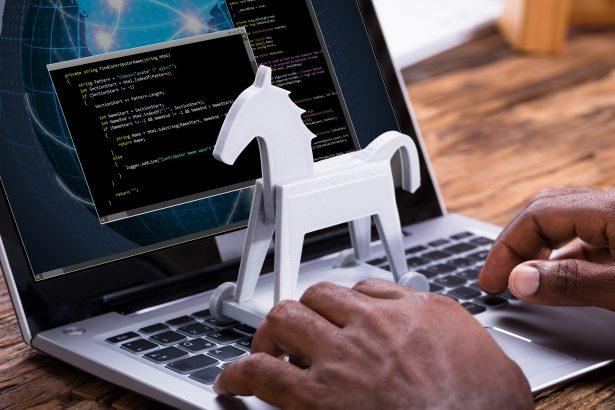
Trojan horse malware, commonly referred to simply as “Trojans,” represents one of the most deceptive and dangerous forms of malicious software. Unlike viruses and worms, which replicate themselves to spread across systems, Trojans are more stealthy and often appear as legitimate programs or files. Their name is derived from the ancient Greek story of the Trojan Horse, where Greek soldiers hid inside a large wooden horse that was brought into the city of Troy as a deceptive gift, only to emerge and open the gates to the city’s downfall. Similarly, Trojan malware disguises itself as benign software or is hidden within seemingly harmless files, only to unleash harmful activities once it has infiltrated the system.
The primary goal of Trojans is to create a backdoor into the infected system, granting unauthorized access to cybercriminals. This access can be used for a wide array of malicious purposes, including data theft, system damage, or further spreading malware. Trojans infiltrate systems through various vectors, such as malicious email attachments, compromised websites, or software downloads from untrustworthy sources. Once inside, they can remain undetected for long periods, quietly compromising the security and privacy of the system’s user.
Introducing WorldTracker Stealer: A Potent Threat
One such threat in the world of Trojans is the WorldTracker Stealer. As its name suggests, this malware falls into the category of “stealers,” which are designed specifically to extract sensitive information from an infected system. The WorldTracker Stealer is particularly insidious due to its stealthy nature and the broad range of data it can collect.
Installation and Functionality
WorldTracker Stealer typically infiltrates systems through phishing emails, malicious advertisements, or downloads from compromised websites. It may be hidden within software cracks, fake updates, or other files that appear legitimate but are actually laced with malware. Once the Trojan has been installed on a system, it immediately begins its malicious activities.
The primary function of WorldTracker Stealer is to collect and exfiltrate sensitive data from the infected machine. This data can include login credentials, banking information, cryptocurrency wallet keys, and other personal information stored in web browsers and other applications. The malware achieves this by monitoring the user’s activities, capturing keystrokes, taking screenshots, and extracting saved passwords or other stored data. After gathering this information, it sends it back to the attacker’s remote server, where it can be used for various malicious purposes, including identity theft and financial fraud.
Consequences of Infection
The presence of WorldTracker Stealer on a system poses significant risks. Victims may experience unauthorized access to their online accounts, financial losses, and compromised personal information. The stolen data can also be sold on dark web marketplaces, further endangering the victim’s privacy and security. In some cases, the malware may also install additional malicious software or create backdoors, allowing the attacker to maintain persistent access to the system even after the initial infection has been detected.
Recognizing WorldTracker Stealer: Symptoms and Detection
Recognizing that your system has been compromised by WorldTracker Stealer can be challenging, as the malware is designed to operate covertly. However, there are some symptoms that could indicate its presence:
- Unusual system behavior, such as slow performance, frequent crashes, or unexplained pop-ups.
- Unexpected changes in system or application settings.
- Detection of unknown programs or files running in the background.
- Unauthorized access to online accounts or changes to account credentials.
- Discovery of suspicious network activity, indicating that data is being transmitted to an external server.
To determine if WorldTracker Stealer is present on your system, you can look for the following detection names used by various antivirus programs:
- Trojan:Win32/Wacatac
- Trojan:Win32/AgentTesla
- Trojan.PWS.Stealer
- Trojan:MSIL/Stealer
Similar Threats to Be Aware Of
WorldTracker Stealer is part of a broader category of information-stealing malware. Other similar threats include:
- Agent Tesla: A notorious stealer that focuses on collecting credentials, clipboard data, and keystrokes.
- FormBook: Another infostealer designed to capture form submissions, screenshots, and more.
- RedLine Stealer: A more recent stealer that targets credentials, cryptocurrency wallets, and other sensitive information.
Comprehensive Removal Guide for WorldTracker Stealer
If you suspect that your system is infected with WorldTracker Stealer, it’s crucial to act swiftly to remove the malware and secure your data. Follow these detailed steps to clean your system:
- Disconnect from the Internet: This helps to prevent the malware from communicating with its control server or exfiltrating any more data.
- Enter Safe Mode: Restart your computer and boot into Safe Mode. This will disable unnecessary drivers and programs, making it easier to remove the malware.
- For Windows 10: Restart your PC, then press and hold the Shift key while selecting “Restart”. Go to “Troubleshoot” > “Advanced options” > “Startup Settings” > “Restart”. After your PC restarts, select “Enable Safe Mode with Networking”.
- Scan with SpyHunter: Use SpyHunter to scan your system thoroughly.
- Download and install SpyHunter: If you haven’t already installed it, download SpyHunter for free from here. During installation, ensure that the “Scan Your Computer for Malware” option is selected.
- Perform a full system scan: Launch SpyHunter and select “Scan” to perform a comprehensive scan of your system. SpyHunter will identify and quarantine any detected threats, including WorldTracker Stealer.
- Remove detected threats: After the scan is complete, review the detected threats and select “Fix Threats” to remove them from your system.
- Change All Passwords: After removing the malware, it’s critical to change the passwords for all your online accounts. Use a different device to do this if possible to ensure the malware cannot capture the new credentials.
- Enable Two-Factor Authentication (2FA): For added security, enable 2FA on all accounts that support it. This provides an extra layer of protection even if your credentials are compromised.
- Monitor Accounts for Suspicious Activity: Keep an eye on your bank accounts, email, and other sensitive accounts for any unauthorized activity. Report any suspicious transactions to your bank or service provider immediately.
Preventing Future Infections
To prevent future infections by Trojans like WorldTracker Stealer, consider the following security measures:
- Use Reliable Security Software: Install and maintain a robust anti-malware program like SpyHunter to detect and prevent threats before they can infiltrate your system.
- Be Wary of Email Attachments and Links: Avoid opening email attachments or clicking on links from unknown or suspicious sources.
- Regularly Update Software: Keep your operating system, browsers, and all software up to date with the latest security patches.
- Download Software from Official Sources: Only download software from trusted, official websites or app stores.
- Backup Data Regularly: Regular backups ensure that you can restore your system to a clean state if needed, minimizing the impact of any potential infections.
By following these steps, you can protect your system from WorldTracker Stealer and similar threats.
Download SpyHunter and Scan Your Computer for Free Now!
To ensure your device’s security, download and install SpyHunter. Never worry about malware or viruses again, leave that to SpyHunter! Download now, and get your FREE SCAN!

