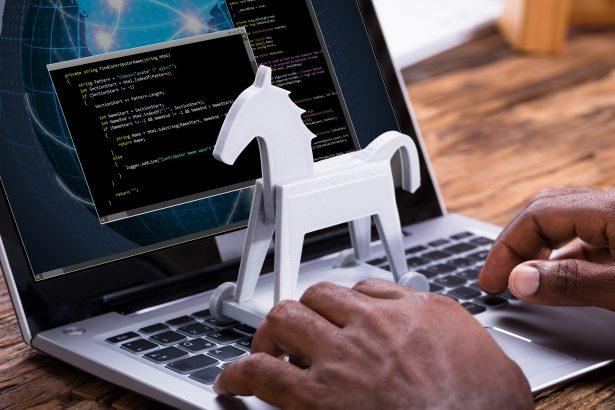
Trojans, or Trojan Horse malware, represent one of the most dangerous forms of malicious software. Named after the mythological Greek story of the Trojan horse, they disguise themselves as legitimate files or software to infiltrate systems without raising suspicion. Trojans are primarily designed to compromise system security, providing cybercriminals access to sensitive data, disrupting operations, or even enabling remote control of the infected machine. Typically, these threats infiltrate systems through malicious downloads, deceptive links, email attachments, or even compromised legitimate software. Once inside, trojans can wreak havoc, posing significant risks to the infected system and its user by stealing personal information, weakening the system’s defenses, or acting as a gateway for other malware.
Trojan.PowerShell.CoinStealer.RPMTB: The Trojan Threat
One particular trojan variant, Trojan.PowerShell.CoinStealer.RPMTB, has emerged as a serious concern for computer users. This malware is particularly dangerous because of its coin-stealing capabilities. It primarily functions by exploiting vulnerabilities in systems to install itself covertly. Often, this trojan is distributed via phishing emails, compromised websites, or bundled with software downloads. Once installed, it leverages PowerShell scripts to perform various malicious activities aimed at cryptocurrency theft.
The primary goal of Trojan.PowerShell.CoinStealer.RPMTB is to steal cryptocurrency from its victims by targeting wallets, intercepting transactions, or exfiltrating stored credentials. After installation, the trojan runs in the background, monitoring the user’s system for any signs of cryptocurrency transactions or wallet usage. It can hijack clipboard data, allowing it to modify wallet addresses during cryptocurrency transactions, thereby redirecting funds to a hacker-controlled address. Additionally, it may scan for cryptocurrency wallets stored on the system and transmit sensitive information back to its command-and-control (C2) server, controlled by the attackers. The consequence of this infection can be severe, leading to significant financial loss and potential identity theft.
Symptoms and Detection of Trojan.PowerShell.CoinStealer.RPMTB
Detecting the presence of Trojan.PowerShell.CoinStealer.RPMTB on your system can be challenging, but there are some telltale signs of infection. Users may notice unusual system slowdowns, especially when performing cryptocurrency transactions. The clipboard may behave oddly, changing cryptocurrency wallet addresses without user intervention. Unexplained system resource usage spikes, especially CPU or memory usage, may also indicate the trojan’s background activities.
Common detection names for this threat include:
- Trojan.PowerShell.CoinStealer
- CoinStealer.RPMTB
- Trojan.PS1.CoinStealer
- PowerShell/CoinStealer.RPMTB
These detection names can help users verify if this specific malware is present on their systems, as many antivirus tools may classify it under slightly different names.
Similar Threats
Trojan.PowerShell.CoinStealer.RPMTB is not the only coin-stealing trojan out there. Other similar threats include:
- Trojan.BitCoinMiner: A malicious program that uses the victim’s CPU or GPU resources to mine cryptocurrency for the attacker.
- CoinMiner Malware: Similar to CoinStealer, this malware targets cryptocurrency transactions and wallet information for financial gain.
- Razy Trojan: A sophisticated malware designed to alter cryptocurrency addresses in real time, hijacking transactions.
Comprehensive Removal Guide
Removing Trojan.PowerShell.CoinStealer.RPMTB from an infected system requires a thorough, step-by-step approach. Here’s a detailed guide to safely remove the trojan:
- Disconnect from the internet: Immediately disconnect your computer from the internet to prevent further data exfiltration and stop any ongoing malicious activity.
- Restart your computer in Safe Mode: This prevents the malware from loading during the startup process, giving you more control over the removal process.
- Use an anti-malware tool: Download and install SpyHunter. This program specializes in detecting and removing trojans and other types of malware.
- Run a full system scan: Launch SpyHunter and initiate a full system scan. SpyHunter will thoroughly search your computer for any signs of the trojan and other malicious software.
- Remove detected threats: After the scan is complete, review the list of detected threats and select Remove for all identified malware, including Trojan.PowerShell.CoinStealer.RPMTB.
- Manually remove suspicious programs: Go to Control Panel > Programs and Features (or Add or Remove Programs) and uninstall any suspicious or recently installed programs that may have brought in the malware.
- Delete temporary files and cache: Clear your temporary files and browser cache to eliminate any remnants of the malware.
- On Windows, press
Windows + Rand type %temp%. Delete all files in the folder that appears. - In your web browser, go to the settings and clear the browsing history and cache.
- On Windows, press
- Update your operating system and security patches: Ensure your operating system is up-to-date with the latest security patches. This will close any vulnerabilities that the trojan may have exploited.
- Change passwords and secure accounts: If you use cryptocurrency wallets or have sensitive information on your system, immediately change your passwords, preferably using a secure password manager. Additionally, monitor your accounts for any unusual activity.
Prevention and Further Actions
To prevent future infections of Trojan.PowerShell.CoinStealer.RPMTB and similar malware, follow these guidelines:
- Install reliable anti-malware software: Keep SpyHunter or another trusted anti-malware tool installed and regularly updated on your system. SpyHunter provides real-time protection, which will alert you to potential threats before they can infect your system.
- Be cautious with downloads: Avoid downloading software or opening email attachments from untrusted or unknown sources.
- Keep software up to date: Regularly update your operating system, browsers, and any installed software to patch potential vulnerabilities.
- Enable multi-factor authentication (MFA): For critical accounts, especially those involving finances, enable MFA for an extra layer of security.
By following these steps, you can significantly reduce the likelihood of malware infections in the future.