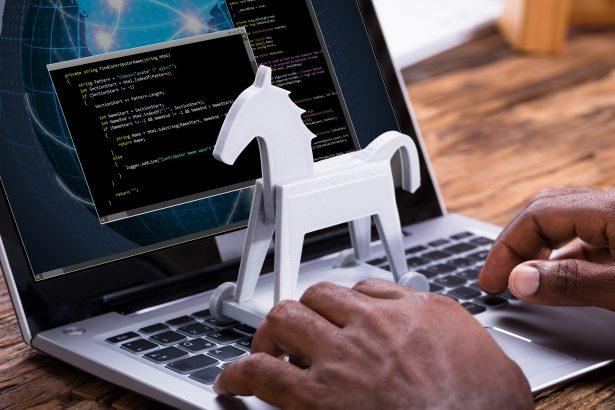
Trojan horse malware, commonly referred to as “Trojans,” is a form of malicious software designed to deceive users by masquerading as legitimate applications or files. The name “Trojan horse” is derived from the ancient Greek story where Greek soldiers hid inside a wooden horse presented as a gift to their enemies, only to emerge and attack from within. Similarly, Trojan malware enters a system disguised as benign software but once inside, it reveals its true malicious intent.
Trojans are versatile and dangerous. They can perform a wide range of harmful activities such as stealing personal information, spying on users, installing other malicious software, or granting remote control of the infected system to an attacker. These malware types generally infiltrate systems through deceptive means such as phishing emails, infected downloads, or exploiting vulnerabilities in software. Once a Trojan horse malware has compromised a system, it can pose significant threats not only to the infected machine but also to the individual’s privacy, finances, and overall cybersecurity.
SharpRhino RAT
One specific Trojan horse malware that has recently come into the spotlight is the SharpRhino RAT (Remote Access Trojan). This particular Trojan is a sophisticated threat designed to grant attackers unauthorized access and control over a victim’s computer. SharpRhino RAT is typically distributed through spear-phishing campaigns, where unsuspecting users are tricked into downloading the malware by clicking on a malicious link or attachment disguised as a legitimate file.
Once installed on a system, SharpRhino RAT performs a series of stealthy actions to maintain its presence and evade detection. It establishes a connection with a remote server controlled by the attacker, allowing them to execute various commands on the infected system. The actions that SharpRhino RAT can perform include logging keystrokes, capturing screenshots, recording audio and video through the computer’s microphone and webcam, stealing sensitive data such as login credentials and financial information, and even spreading the infection to other devices on the same network.
The consequences of having SharpRhino RAT installed on a system are severe. Victims can experience significant privacy violations, data breaches, financial losses, and in some cases, the malware can be used as part of a larger cyberattack, such as deploying ransomware or launching a distributed denial-of-service (DDoS) attack.
Symptoms of SharpRhino RAT Infection
Identifying a SharpRhino RAT infection can be challenging due to its stealthy nature. However, there are several symptoms that may indicate the presence of this Trojan on a system:
- Unexplained slowdowns: The computer may start running unusually slow as the malware consumes resources.
- Unexpected behavior: Applications might crash frequently, and there might be unusual system behavior like random pop-ups or changes in settings.
- Unusual network activity: There may be unexplained spikes in network traffic as the malware communicates with its remote server.
- Increased fan noise: Due to increased CPU usage by the RAT, the system’s fan might run at higher speeds than usual.
- Unauthorized access to webcam or microphone: If the webcam or microphone activates without your permission, it could be due to SharpRhino RAT.
To detect SharpRhino RAT, cybersecurity tools might flag it under various names. Some detection names include:
- Win32/SharpRhino.A
- Trojan:Win32/SharpRhino
- RAT.SharpRhino
- Backdoor.SharpRhino
Similar Threats to Watch Out For
SharpRhino RAT is not the only RAT posing a threat to users. Other similar threats include:
- NanoCore RAT: Known for its ability to steal sensitive information and remotely control infected machines.
- Adwind RAT: A cross-platform RAT that can affect Windows, Mac, Linux, and Android systems.
- njRAT: Another popular RAT used by attackers to spy on users and steal data.
Comprehensive Removal Guide for SharpRhino RAT
Removing SharpRhino RAT from your system requires a thorough approach to ensure that the malware is completely eradicated. Here’s a step-by-step guide to remove SharpRhino RAT:
- Disconnect from the Internet: Immediately disconnect your computer from the internet to prevent the malware from communicating with its remote server.
- Enter Safe Mode:
- Restart your computer and press the
F8key repeatedly during startup until the Advanced Boot Options menu appears. - Select “Safe Mode with Networking” to load a minimal set of drivers and services, which can help prevent the malware from running.
- Restart your computer and press the
- Use Anti-Malware Software:
- Download and install SpyHunter.
- Run a full system scan for free, using SpyHunter to detect and remove SharpRhino RAT and any other malicious files.
- Remove Suspicious Programs: Go to the Control Panel and uninstall any programs that you do not recognize or that were installed recently and could be linked to the malware.
- Check for Browser Hijacks: Open your web browser and check for any unauthorized extensions or changes to your homepage and search engine settings. Remove or reset them as necessary.
- Clear Temporary Files: Use the built-in Disk Cleanup utility or a third-party cleaner to remove temporary files and caches that might harbor malware remnants.
- Update Your System: Ensure your operating system, software, and antivirus programs are up to date to protect against vulnerabilities.
- Restore System Settings: If the infection persists, consider using System Restore to revert your computer to a state before the infection occurred.
- Reset Passwords: After removing the malware, immediately change all passwords for online accounts to prevent unauthorized access.
- Reconnect to the Internet and Scan Again: Reconnect to the internet and run another full system scan to ensure the malware has been fully removed.
Preventing Future Infections
To prevent future infections from Trojan horse malware like SharpRhino RAT:
- Be cautious with email attachments and links: Avoid opening attachments or clicking on links from unknown or suspicious sources.
- Keep your software updated: Regularly update your operating system, software, and antivirus programs to protect against known vulnerabilities.
- Use strong, unique passwords: Implement strong passwords and enable two-factor authentication where possible.
- Regularly back up your data: Ensure you have regular backups of important data in case of a malware infection.
- Install reputable security software: Consider using SpyHunter for real-time protection against malware threats. Download and scan your computer for free to ensure it’s safe from malware like SharpRhino RAT.
By following these steps, you can safeguard your system against current and future threats and maintain a secure computing environment.