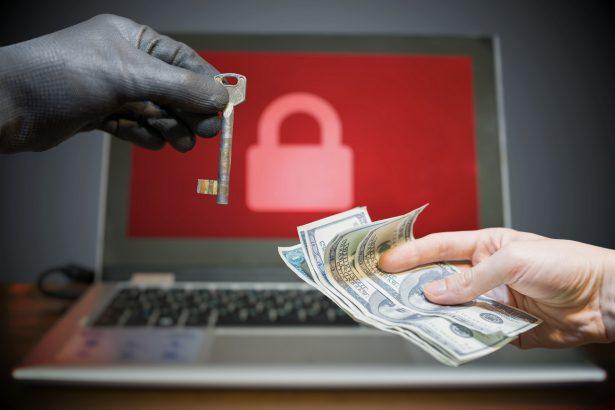
Ransomware is a form of malware that encrypts files on a victim’s system, rendering them inaccessible until a ransom is paid. This malicious software is designed to target personal and corporate data, often crippling the victim’s ability to function without paying the ransom. The attackers typically demand payment in cryptocurrencies like Bitcoin to obscure their identity. Ransomware is notorious for causing significant financial losses and operational disruptions. One of the latest variants is Luxy Ransomware, which we will explore in detail.
What is Luxy Ransomware?
Luxy Ransomware is a relatively new variant of ransomware that encrypts files on infected systems and appends a unique extension, typically .luxy, to the encrypted files. Luxy is part of a broader family of file-encrypting malware that primarily targets individual users and small organizations. Once it infiltrates a system, Luxy swiftly encrypts the victim’s files and demands a ransom for decryption.
How Luxy Ransomware Infects Systems
Luxy typically spreads through phishing emails that contain malicious attachments or links, and through compromised websites that host malicious downloads. Attackers also exploit system vulnerabilities in outdated software to gain access. In some cases, users unintentionally download this ransomware when visiting dubious sites or engaging in risky online behavior, such as using pirated software or cracked games.
Actions Performed by Luxy Ransomware
Once installed, Luxy Ransomware begins its attack by scanning the infected system for a wide range of file types, including documents, images, videos, and databases. After encrypting these files, the ransomware appends the .luxy extension to each file, making them inaccessible without a decryption key. For example, a file named document.pdf will be renamed document.pdf.luxy after encryption.
After the encryption process, the ransomware drops a ransom note on the victim’s desktop, typically named something like HOW TO RECOVER FILES.txt. This note provides instructions on how to pay the ransom, usually in Bitcoin, in exchange for the decryption key. The ransom note is often brief but intimidating, warning victims that failure to pay will result in permanent data loss.
Consequences of a Luxy Ransomware Infection
- File Inaccessibility: All important files are encrypted, preventing access until the ransom is paid or the ransomware is removed.
- Data Loss: If the victim does not have proper backups, encrypted files may be permanently lost if the ransom is not paid.
- Financial Loss: Payment of the ransom, often demanded in Bitcoin, can be expensive, and there’s no guarantee that paying the ransom will lead to file recovery.
- System Instability: The presence of ransomware may slow down the system, as it often consumes significant resources during encryption.
Ransom Note Overview
Luxy Ransomware leaves a text file with instructions for the victim. The note typically reads as follows:
- Victims are informed that their files have been encrypted and that the only way to recover them is by paying a ransom.
- The note specifies the amount of Bitcoin required for payment.
- It provides a Bitcoin wallet address where the ransom must be sent.
- Instructions on how to purchase Bitcoin and send it to the wallet are usually provided.
- The note may also contain threats that files will be permanently deleted if the ransom is not paid within a specific time frame.
This ransom note is designed to create a sense of urgency and fear, pushing victims into paying the attackers.
Text in the ransom note:
ATTENTION!
Don’t worry, you can return all your files!
All your files like pictures, databases, documents and other important are encrypted with strongest encryption and unique key.
The only method of recovering files is to purchase decrypt tool and unique key for you.
This software will decrypt all your encrypted files.
Price of private key and decrypt software is $980.
Discount 50% available if you contact us first 72 hours, that’s price for you is $490.
Please note that you’ll never restore your data without payment.
To get this software and key you need join our server discord:
discord.gg/
Personal ID: –
General Purpose of Ransomware
Ransomware like Luxy is designed to hold data hostage for financial gain. The primary purpose of this malware is extortion: attackers encrypt valuable data and then demand payment for its release. The threat posed by this type of ransomware can be devastating, as victims are forced to choose between losing their data or paying a ransom with no guarantee of recovery.
Symptoms of a Luxy Ransomware Infection
If Luxy Ransomware has infected your system, you may notice the following symptoms:
- Files have been renamed with the
.luxyextension. - A ransom note titled
HOW TO RECOVER FILES.txtappears on your desktop or in affected folders. - You are unable to open or access important files.
- The system may experience performance degradation due to the malware consuming resources.
Detection Names
Here are some common detection names used by various security software for identifying Luxy Ransomware:
- ESET: Win32/Filecoder.Luxy
- Kaspersky: Trojan-Ransom.Win32.Luxy
- Malwarebytes: Ransom.Luxy
- Microsoft Defender: Ransom:Win32/Luxy
Similar Ransomware Threats
Victims of Luxy Ransomware may also encounter similar threats such as:
- C-NT Ransomware: Another ransomware variant that appends the
.c-ntextension to encrypted files. - STOP/DJVU Ransomware: Known for spreading through cracked software and appending various file extensions to encrypted files.
- Maze Ransomware: A notorious variant that not only encrypts files but also threatens to leak stolen data.
Comprehensive Luxy Ransomware Removal Guide
- Enter Safe Mode:
- Restart your computer.
- While the system is booting, press F8 (or Shift + F8) to enter Advanced Boot Options.
- Choose “Safe Mode with Networking” to disable ransomware from running.
- Run a Full System Scan Using SpyHunter:
- Download and install SpyHunter.
- Run a complete scan to detect Luxy Ransomware and related malware.
- Follow the instructions to remove any detected threats.
- Delete Suspicious Files and Processes:
- Press Ctrl + Shift + Esc to open Task Manager.
- Check for suspicious processes under the "Processes" tab (e.g., files with random names).
- Right-click and end any unfamiliar processes.
- Navigate to C:\Users\YourName\AppData\Local and delete unfamiliar or malicious files.
- Restore Files from Backup:
- If you have backups, restore your files from there.
- Do not connect backups until the ransomware has been fully removed to avoid further encryption.
- Use Decryption Tools (Optional):
- If a legitimate decryptor is available for Luxy Ransomware, you can attempt to use it to recover files.
- Visit websites like NoMoreRansom to check for free decryption tools.
Prevention Tips
- Regular Backups: Ensure you regularly back up important files to an external drive or cloud storage.
- Update Software: Keep your operating system and software up to date to patch vulnerabilities.
- Anti-Malware Protection: Install and regularly update anti-malware software like SpyHunter to protect against ransomware.
- Be Cautious Online: Avoid clicking on suspicious email links or downloading files from untrustworthy sources.
To keep your system safe from threats like Luxy Ransomware, we recommend using SpyHunter, an advanced anti-malware tool that detects and removes ransomware. Download SpyHunter today and scan your computer for free to ensure it's secure.