


www.itfunk.orgwww.itfunk.orgwww.itfunk.org
  • Home
  • Tech News
    Tech NewsShow More
    Zero Trust: How a Security Idea Became a Blueprint
    41 Min Read
    Cybersecurity Law Expiration Could Unleash New Ransomware Surge – Former FBI Official Sounds the Alarm
    8 Min Read
    Under the Hood of Microsoft’s May 2025 Patch Tuesday: The CLFS and WinSock Problem Microsoft Can’t Seem to Fix
    7 Min Read
    The Hidden Sabotage: How Malicious Go Modules Quietly Crashed Linux Systems
    6 Min Read
    Agentic AI: The Next Frontier in Cybersecurity Defense and Risk​
    5 Min Read
  • Cyber Threats
    • Malware
    • Ransomware
    • Trojans
    • Adware
    • Browser Hijackers
    • Mac Malware
    • Android Threats
    • iPhone Threats
    • Potentially Unwanted Programs (PUPs)
    • Online Scams
    • Microsoft CVE Vulnerabilities
  • How To Guides
    How To GuidesShow More
    Tasksche.exe Malware
    Nviqri Someq Utils Unwanted Application
    4 Min Read
    How to Deal With Rbx.fund Scam
    4 Min Read
    How to Jailbreak DeepSeek: Unlocking AI Without Restrictions
    4 Min Read
    Why Streaming Services Geo-Restrict Content?
    10 Min Read
  • Product Reviews
    • Hardware
    • Software
  • IT/Cybersecurity Best Practices
    IT/Cybersecurity Best PracticesShow More
    Zero Trust: How a Security Idea Became a Blueprint
    41 Min Read
    Under the Hood of Microsoft’s May 2025 Patch Tuesday: The CLFS and WinSock Problem Microsoft Can’t Seem to Fix
    7 Min Read
    Affordable Endpoint Protection Platforms (EPP) for Small Businesses
    5 Min Read
    Outlaw Malware: A Persistent Threat Exploiting Linux Servers
    4 Min Read
    CVE-2024-48248: Critical NAKIVO Backup & Replication Flaw Actively Exploited—Patch Immediately
    6 Min Read
  • FREE SCAN
  • Cybersecurity for Business
Search
  • ABOUT US
  • TERMS AND SERVICES
  • SITEMAP
  • CONTACT US
© 2023 ITFunk.org. All Rights Reserved.
Reading: RedAlert – Rocket Alerts App: How to Safeguard Your Android Device Against Adware, Spyware, and Malicious Apps?
Share
Notification Show More
Font ResizerAa
www.itfunk.orgwww.itfunk.org
Font ResizerAa
  • Tech News
  • How To Guides
  • Cyber Threats
  • Product Reviews
  • Cybersecurity for Business
  • Free Scan
Search
  • Home
  • Tech News
  • Cyber Threats
    • Malware
    • Ransomware
    • Trojans
    • Adware
    • Browser Hijackers
    • Mac Malware
    • Android Threats
    • iPhone Threats
    • Potentially Unwanted Programs (PUPs)
    • Online Scams
  • How To Guides
  • Product Reviews
    • Hardware
    • Software
  • IT/Cybersecurity Best Practices
  • Cybersecurity for Business
  • FREE SCAN
Follow US
  • ABOUT US
  • TERMS AND SERVICES
  • SITEMAP
  • CONTACT US
© 2023 ITFunk.org All Rights Reserved.
www.itfunk.org > Blog > Cyber Threats > Adware > RedAlert – Rocket Alerts App: How to Safeguard Your Android Device Against Adware, Spyware, and Malicious Apps?
AdwareAndroid ThreatsCyber ThreatsIT/Cybersecurity Best PracticesTech News

RedAlert – Rocket Alerts App: How to Safeguard Your Android Device Against Adware, Spyware, and Malicious Apps?

ITFunk Research
Last updated: October 17, 2023 4:42 pm
ITFunk Research
Share
RedAlert - Rocket Alerts App: How to Safeguard Your Android Device Against Adware, Spyware, and Malicious Apps?
SHARE

What is the “RedAlert – Rocket Alerts App”?

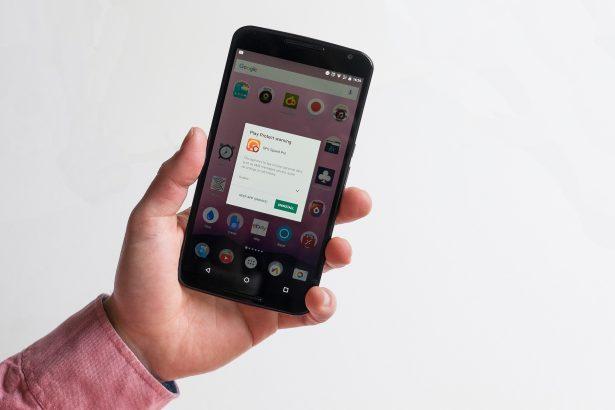
The malicious “RedAlert – Rocket Alerts App” is a fake application that impersonates the legitimate “RedAlert – Rocket Alerts App” developed by Elad Nava. The legitimate app is designed to provide accurate and timely alerts regarding incoming airstrikes in Israel, while the malicious version operates as spyware, collecting sensitive user data.

Contents
What is the “RedAlert – Rocket Alerts App”?Android Adware and SpywareAdwareSpywareDistributionHow to Remove Android Adware and Spyware like RedAlert?Tips for Keeping Your Android Phone Safe from RedAlert AdwareInstall Apps from Trusted SourcesRegularly Check App PermissionsUse a VPNBeware of Unknown EmailsSecure Your DeviceAvoid Public Wi-Fi for Sensitive ActivitiesRegularly Update Your DeviceEducate Yourself

This fake app closely mimics the legitimate one but requests additional permissions upon installation, which are then used for harmful activities. These permissions include access to “Call Logs,” “Contacts,” “Phone,” and “SMS.” Once granted these permissions, the spyware can extract various device data, such as network type, country, IMEI (International Mobile Equipment Identity) and IMSI (International mobile subscriber identity) numbers, PIN status, and more. It can also gather a list of installed applications and target linked accounts, including logged-in emails and other platforms.

The presence of such malicious software on a device can lead to severe privacy issues, financial losses, and identity theft. This fake app has been associated with pro-Palestinian hacktivist groups and is often used for malicious purposes during events like the Israel-Hamas conflict.

Here is some general information about Android adware and spyware, how to remove them, and tips for keeping your Android phone safe:

Android Adware and Spyware

Adware

Adware is software that displays unwanted advertisements to users. It can be bundled with legitimate apps and generates revenue for developers through ad clicks or impressions.

Spyware

Spyware is more malicious and is designed to collect data from the infected device without the user’s knowledge. It can gather personal information, browsing habits, login credentials, and more, which may be used for identity theft or fraud.

Distribution

Adware and spyware can be distributed through various methods, including malicious websites, deceptive app stores, email attachments, and even legitimate app stores like the Google Play Store.

How to Remove Android Adware and Spyware like RedAlert?

  • Use Antivirus Software: Install reputable antivirus software on your Android device and keep it updated. Regularly scan your device for malware.
  • Check App Permissions: Review the permissions requested by apps before installing them. If an app asks for excessive permissions that seem unrelated to its functionality, consider it a red flag.
  • Update Your Device: Keep your Android operating system and apps up to date. Updates often include security patches that can protect your device from known vulnerabilities.
  • Avoid Third-Party Stores: Stick to official app stores like Google Play for downloading apps. Third-party stores may host malicious apps.
  • Be Cautious with Links: Avoid clicking on suspicious links in emails, messages, or on websites. Be wary of phishing attempts.

Tips for Keeping Your Android Phone Safe from RedAlert Adware

Install Apps from Trusted Sources

Download apps only from official app stores, and read user reviews and ratings before installation.

Regularly Check App Permissions

Review the permissions granted to your apps and revoke any unnecessary ones.

Use a VPN

Consider using a reputable VPN service to encrypt your internet connection and protect your data.

Beware of Unknown Emails

Avoid opening email attachments or clicking on links from unknown or unsolicited sources.

Secure Your Device

Use a secure lock screen (PIN, pattern, or biometrics) and set up remote tracking and data wiping in case your device is lost or stolen.

Avoid Public Wi-Fi for Sensitive Activities

Be cautious when using public Wi-Fi networks, especially when accessing sensitive information or making online transactions.

Regularly Update Your Device

Keep your Android operating system and apps up to date to ensure the latest security patches are applied.

Educate Yourself

Stay informed about the latest threats and best practices for mobile device security.

By following these guidelines and being cautious with the apps you install and the links you click, you can significantly reduce the risk of encountering Android adware and spyware. If you suspect your device is infected, use antivirus software to remove the malware promptly.


You Might Also Like

Xmegadrive.com Redirects
Itsfuck.top Adware
Trojan.IcedID.ANJ
Reprucally.co.in Hijacker
“Email Address Verification Formal Notice” Scam
TAGGED:AdwareAndroid Threats

Sign Up For Daily Newsletter

Be keep up! Get the latest breaking news delivered straight to your inbox.
By signing up, you agree to our Terms of Use and acknowledge the data practices in our Privacy Policy. You may unsubscribe at any time.
Share This Article
Facebook Copy Link Print
Share
Previous Article “Smart Captcha Solve” Triggers a Flurry of Pop-Ups on Computers
Next Article adware Understanding Hyaenidae and Staying Safe Online: A Guide to Protecting Your Digital World
Leave a Comment

Leave a Reply Cancel reply

Your email address will not be published. Required fields are marked *

Scan Your System for Malware

Don’t leave your system unprotected. Download SpyHunter today for free, and scan your device for malware, scams, or any other potential threats. Stay Protected!

Download SpyHunter 5
Download SpyHunter for Mac
✅ Free Scan Available • ⭐ Catches malware instantly
//

Check in Daily for the best technology and Cybersecurity based content on the internet.

Quick Link

  • ABOUT US
  • TERMS AND SERVICES
  • SITEMAP
  • CONTACT US

Support

Sign Up for Our Newesletter

Subscribe to our newsletter to get our newest articles instantly!


www.itfunk.orgwww.itfunk.org
© 2023 www.itfunk.org. All Rights Reserved.
  • ABOUT US
  • TERMS AND SERVICES
  • SITEMAP
  • CONTACT US
Welcome Back!

Sign in to your account

Username or Email Address
Password

Lost your password?