













www.itfunk.orgwww.itfunk.orgwww.itfunk.org
  • Home
  • Tech News
    Tech NewsShow More
    Automated Remediation Tools
    Google–Wiz Acquisition – Latest Cybersecurity News & Impact
    1 Min Read
    UHMC Cybersecurity Clinic for Small Businesses – Latest Cybersecurity News & Impact
    0 Min Read
    Telus Cybersecurity Incident – Latest Cybersecurity News & Impact
    0 Min Read
    Digital Lifeline: Why 2026 is the Year Healthcare Cybersecurity Became Critical
    5 Min Read
    Zero Trust: How a Security Idea Became a Blueprint
    41 Min Read
  • Cyber Threats
    • Malware
    • Ransomware
    • Trojans
    • Adware
    • Browser Hijackers
    • Mac Malware
    • Android Threats
    • iPhone Threats
    • Potentially Unwanted Programs (PUPs)
    • Online Scams
    • Microsoft CVE Vulnerabilities
  • How To Guides
    How To GuidesShow More
    7 Signs You’ve Been Hacked
    10 Min Read
    10 Best Ways to Stream Movies Online for Free Legally
    10 Best Ways to Stream Movies Online for Free Legally (2026 Guide)
    19 Min Read
    What to Do After a Cyber Attack: A Step-by-Step Business Guide
    7 Min Read
    5 Websites You Should Not Visit in 2026
    5 Websites You Should Not Visit in 2026
    13 Min Read
    Tasksche.exe Malware
  • Product Reviews
    • Hardware
    • Software
  • IT/Cybersecurity Best Practices
    IT/Cybersecurity Best PracticesShow More
    7 Signs You’ve Been Hacked
    10 Min Read
    UHMC Cybersecurity Clinic for Small Businesses – Latest Cybersecurity News & Impact
    0 Min Read
    Log Correlation Engine
    BISO – The Operational Bridge Between Cybersecurity and Business Lines
    0 Min Read
    Digital Lifeline: Why 2026 is the Year Healthcare Cybersecurity Became Critical
    5 Min Read
    Zero Trust: How a Security Idea Became a Blueprint
    41 Min Read
  • FREE SCAN
  • Cybersecurity for Business
Search
  • ABOUT US
  • TERMS AND SERVICES
  • SITEMAP
  • CONTACT US
© 2023 ITFunk.org. All Rights Reserved.
Reading: Cybersecurity Checklist for Businesses: Essential Steps to Protect Your Company
Share
Notification Show More
Font ResizerAa
www.itfunk.orgwww.itfunk.org
Font ResizerAa
  • Tech News
  • How To Guides
  • Cyber Threats
  • Product Reviews
  • Cybersecurity for Business
  • Free Scan
Search
  • Home
  • Tech News
  • Cyber Threats
    • Malware
    • Ransomware
    • Trojans
    • Adware
    • Browser Hijackers
    • Mac Malware
    • Android Threats
    • iPhone Threats
    • Potentially Unwanted Programs (PUPs)
    • Online Scams
  • How To Guides
  • Product Reviews
    • Hardware
    • Software
  • IT/Cybersecurity Best Practices
  • Cybersecurity for Business
  • FREE SCAN
Follow US
  • ABOUT US
  • TERMS AND SERVICES
  • SITEMAP
  • CONTACT US
© 2023 ITFunk.org All Rights Reserved.
www.itfunk.org > Blog > Cybersecurity for Business > Cybersecurity Checklist for Businesses: Essential Steps to Protect Your Company
Cybersecurity for Business

Cybersecurity Checklist for Businesses: Essential Steps to Protect Your Company

ITFunk Research
Last updated: May 28, 2026 4:13 pm
ITFunk Research
Share
Cybersecurity Checklist for Businesses: Essential Steps to Protect Your Company
SHARE

Cyberattacks are no longer just a problem for large enterprises. Small and medium-sized businesses (SMBs) are increasingly targeted because attackers know many companies lack strong defenses. From ransomware attacks to phishing scams and data breaches, a single incident can disrupt operations, damage customer trust, and lead to major financial losses.

Contents
  • Cybersecurity for Business
  • 1. Use Strong Password Policies
    • Best Practices:
  • 2. Enable Multi-Factor Authentication (MFA)
    • Enable MFA For:
  • 3. Keep Software and Systems Updated
    • Your Update Checklist:
  • 4. Install Reliable Endpoint Protection
    • Protect:
  • 5. Back Up Critical Business Data
    • Backup Best Practices:
  • 6. Train Employees on Cybersecurity Awareness
    • Recommended Training Topics:
  • 7. Secure Your Business Network
    • Network Security Checklist:
  • 8. Protect Email Systems
    • Email Security Measures:
  • 9. Control User Access
    • Implement:
  • 10. Encrypt Sensitive Data
    • Encrypt:
  • 11. Develop an Incident Response Plan
    • Your Incident Response Plan Should Include:
  • 12. Monitor Systems for Suspicious Activity
    • Monitor For:
  • 13. Secure Remote Work Environments
    • Remote Work Security Tips:
  • 14. Conduct Regular Security Audits
    • Frequent Mistakes:

A strong cybersecurity strategy does not have to be overly technical or expensive. By following a structured cybersecurity checklist, businesses can significantly reduce their risk and improve resilience against modern threats.

This guide covers the essential cybersecurity measures every business should implement to strengthen protection across employees, devices, networks, and sensitive data.

Cybersecurity for Business

Your business faces constantly evolving cyber threats that can jeopardize sensitive data, disrupt operations, and damage your reputation. Our cybersecurity for business solutions are tailored to meet the unique challenges of companies of all sizes, providing robust protection against malware, phishing, ransomware, and more.

Whether you’re a small startup or a large enterprise, we offer multi-license cybersecurity packages that ensure seamless protection for your entire team, across all devices. With advanced features like real-time threat monitoring, endpoint security, and secure data encryption, you can focus on growing your business while we handle your digital security needs.

Get a Free Quote Today! Safeguard your business with affordable and scalable solutions. Contact us now to request a free quote for multi-license cybersecurity packages designed to keep your company safe and compliant. Don’t wait—protect your business before threats strike!

Get Your Quote Here

Why Every Business Needs a Cybersecurity Checklist

Cybercriminals often look for easy targets. Unpatched software, weak passwords, and untrained employees create opportunities for attackers to gain access to company systems.

According to recent industry studies, ransomware and phishing remain among the most common attack methods affecting businesses worldwide. Even a minor breach can lead to:

  • Financial losses
  • Downtime and operational disruption
  • Regulatory penalties
  • Reputation damage
  • Loss of customer trust

A cybersecurity checklist helps businesses stay organized and proactive instead of reacting after an incident occurs.


Essential Cybersecurity Checklist for Businesses

1. Use Strong Password Policies

Weak passwords remain one of the biggest security risks for companies.

Best Practices:

  • Require passwords with at least 12–16 characters
  • Use a mix of letters, numbers, and symbols
  • Prevent password reuse
  • Encourage password managers
  • Change default passwords immediately

Businesses should also implement account lockout policies to reduce brute-force attacks.


2. Enable Multi-Factor Authentication (MFA)

Multi-factor authentication adds an extra layer of security beyond passwords.

Even if attackers steal login credentials, MFA can prevent unauthorized access.

Enable MFA For:

  • Email accounts
  • Cloud applications
  • VPN access
  • Administrative accounts
  • Financial systems

MFA is one of the most effective ways to prevent account compromise.


3. Keep Software and Systems Updated

Outdated software often contains vulnerabilities that cybercriminals exploit.

Your Update Checklist:

  • Enable automatic updates
  • Patch operating systems regularly
  • Update antivirus and anti-malware tools
  • Remove unsupported software
  • Audit third-party applications

Businesses should establish a patch management schedule to ensure critical updates are never delayed.


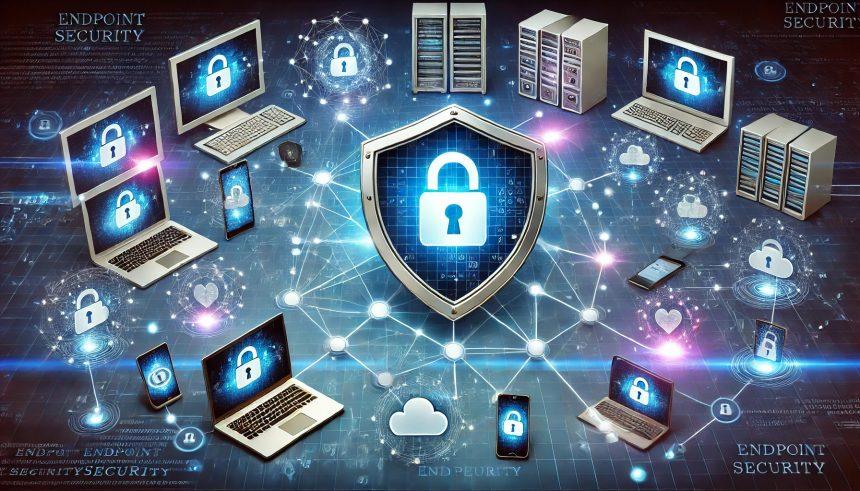
4. Install Reliable Endpoint Protection

Every device connected to your network can become an entry point for malware.

Protect:

  • Workstations
  • Laptops
  • Mobile devices
  • Servers
  • Remote employee devices

Businesses should use advanced anti-malware software capable of detecting ransomware, spyware, trojans, and other evolving threats.

For companies managing multiple employees and devices, the multi-device protection available through SpyHunter Multi-License for Businesses can help streamline endpoint security across teams.


5. Back Up Critical Business Data

Backups are essential for disaster recovery and ransomware protection.

Backup Best Practices:

  • Use automated backups
  • Store backups offline or in secure cloud storage
  • Test recovery procedures regularly
  • Maintain multiple backup copies
  • Encrypt sensitive backup data

A reliable backup strategy ensures your business can recover quickly after an attack or hardware failure.


6. Train Employees on Cybersecurity Awareness

Human error remains one of the leading causes of security breaches.

Employees should know how to recognize:

  • Phishing emails
  • Fake login pages
  • Social engineering attacks
  • Suspicious attachments
  • Unsafe downloads

Recommended Training Topics:

  • Password hygiene
  • Safe browsing practices
  • Email security
  • Data handling policies
  • Remote work security

Regular cybersecurity training helps create a security-conscious workplace culture.


7. Secure Your Business Network

An unsecured network can expose sensitive systems and data.

Network Security Checklist:

  • Use business-grade firewalls
  • Change default router credentials
  • Segment internal networks
  • Secure Wi-Fi with WPA3 encryption
  • Disable unnecessary services and ports
  • Monitor network traffic

Businesses with remote employees should also require secure VPN access.


8. Protect Email Systems

Email remains the primary delivery method for malware and phishing attacks.

Email Security Measures:

  • Use spam filtering
  • Block malicious attachments
  • Enable email authentication protocols
  • Scan links and attachments automatically
  • Educate employees about phishing scams

Strong email security can stop many attacks before they reach employees.


9. Control User Access

Not every employee needs access to all systems or data.

Implement:

  • Role-based access controls (RBAC)
  • Least-privilege access policies
  • Separate admin accounts
  • Regular permission reviews
  • Immediate account deactivation for former employees

Limiting access reduces the potential impact of compromised accounts.


10. Encrypt Sensitive Data

Encryption protects information even if devices or files are stolen.

Encrypt:

  • Customer records
  • Financial information
  • Employee data
  • Portable devices
  • Cloud storage

Businesses handling sensitive data should encrypt both stored data and data transmitted across networks.


11. Develop an Incident Response Plan

No security system is perfect. Businesses must prepare for potential cyber incidents.

Your Incident Response Plan Should Include:

  • Roles and responsibilities
  • Communication procedures
  • Containment steps
  • Recovery procedures
  • Legal and compliance requirements
  • Contact information for security vendors

A documented response plan helps reduce panic and speeds up recovery.


12. Monitor Systems for Suspicious Activity

Continuous monitoring can help identify attacks early.

Monitor For:

  • Unauthorized logins
  • Unusual network activity
  • Malware alerts
  • Failed login attempts
  • Data exfiltration behavior

Early detection significantly improves response effectiveness.


13. Secure Remote Work Environments

Remote and hybrid work models introduce additional security risks.

Remote Work Security Tips:

  • Require VPN connections
  • Use company-managed devices
  • Enforce MFA
  • Restrict public Wi-Fi usage
  • Secure home routers
  • Implement mobile device management (MDM)

Remote employees should follow the same security standards as office-based staff.


14. Conduct Regular Security Audits

Cybersecurity is not a one-time task.

Businesses should regularly:

  • Review security policies
  • Perform vulnerability scans
  • Test backups
  • Assess employee awareness
  • Audit software and hardware inventory

Routine assessments help identify weaknesses before attackers do.


Common Cybersecurity Mistakes Businesses Should Avoid

Many organizations unknowingly leave security gaps open.

Frequent Mistakes:

  • Ignoring software updates
  • Using weak passwords
  • Failing to train employees
  • Neglecting backups
  • Allowing unrestricted access
  • Using outdated antivirus software
  • Assuming small businesses are not targets

Avoiding these mistakes can dramatically improve overall security posture.


Benefits of Following a Cybersecurity Checklist

Implementing a cybersecurity checklist helps businesses:

  • Reduce risk of data breaches
  • Improve compliance readiness
  • Protect customer trust
  • Minimize downtime
  • Strengthen operational resilience
  • Improve employee awareness
  • Reduce financial losses from cyber incidents

Cybersecurity should be viewed as a business investment rather than an optional expense.


Final Thoughts

Cyber threats continue to evolve, but businesses can significantly reduce risk by implementing consistent security practices. A proactive cybersecurity checklist helps organizations stay organized, improve resilience, and better protect valuable business data.

From employee training and MFA to endpoint protection and secure backups, every layer of security matters.

Businesses looking for scalable malware and device protection should also consider solutions like SpyHunter Multi-License Protection to help secure multiple systems across the organization.

The earlier businesses invest in cybersecurity, the better prepared they will be against future threats.

What is Endpoint Security for Businesses in Simple Terms?
Serverless Security Solutions: Protecting Modern Cloud-Native Businesses
Malware Detonation Chambers: How Businesses Safely Analyze and Stop Malware Before It Spreads
TLS Inspection Tools: A Business Guide to Encrypted Traffic Visibility and Threat Detection
Automated Remediation Tools: How Businesses Can Accelerate Cyber Incident Response
TAGGED:business cybersecurity solutionscybersecurity for businessescybersecurity training for employeesdata breach preventionemail security for businessesendpoint protectionmulti-factor authenticationnetwork security for companiesransomware protectionsmall business cyber protection

Sign Up For Daily Newsletter

Be keep up! Get the latest breaking news delivered straight to your inbox.
By signing up, you agree to our Terms of Use and acknowledge the data practices in our Privacy Policy. You may unsubscribe at any time.
Share This Article
Facebook Copy Link Print
Share
Previous Article What is Endpoint Security for Businesses in Simple Terms?
Leave a Comment

Leave a Reply Cancel reply

Your email address will not be published. Required fields are marked *

Scan Your System for Malware

Don’t leave your system unprotected. Download SpyHunter today for free, and scan your device for malware, scams, or any other potential threats. Stay Protected!

Download SpyHunter 5
Download SpyHunter for Mac
✅ Free Scan Available • ⭐ Catches malware instantly
//

Check in Daily for the best technology and Cybersecurity based content on the internet.

Quick Link

  • ABOUT US
  • TERMS AND SERVICES
  • SITEMAP
  • CONTACT US

Support

Sign Up for Our Newesletter

Subscribe to our newsletter to get our newest articles instantly!


www.itfunk.orgwww.itfunk.org
© 2023 www.itfunk.org. All Rights Reserved.
  • ABOUT US
  • TERMS AND SERVICES
  • SITEMAP
  • CONTACT US
Welcome Back!

Sign in to your account

Username or Email Address
Password

Lost your password?

TERMS AND SERVICES