


www.itfunk.orgwww.itfunk.orgwww.itfunk.org
  • Home
  • Tech News
    Tech NewsShow More
    Zero Trust: How a Security Idea Became a Blueprint
    41 Min Read
    Cybersecurity Law Expiration Could Unleash New Ransomware Surge – Former FBI Official Sounds the Alarm
    8 Min Read
    Under the Hood of Microsoft’s May 2025 Patch Tuesday: The CLFS and WinSock Problem Microsoft Can’t Seem to Fix
    7 Min Read
    The Hidden Sabotage: How Malicious Go Modules Quietly Crashed Linux Systems
    6 Min Read
    Agentic AI: The Next Frontier in Cybersecurity Defense and Risk​
    5 Min Read
  • Cyber Threats
    • Malware
    • Ransomware
    • Trojans
    • Adware
    • Browser Hijackers
    • Mac Malware
    • Android Threats
    • iPhone Threats
    • Potentially Unwanted Programs (PUPs)
    • Online Scams
    • Microsoft CVE Vulnerabilities
  • How To Guides
    How To GuidesShow More
    Tasksche.exe Malware
    Nviqri Someq Utils Unwanted Application
    4 Min Read
    How to Deal With Rbx.fund Scam
    4 Min Read
    How to Jailbreak DeepSeek: Unlocking AI Without Restrictions
    4 Min Read
    Why Streaming Services Geo-Restrict Content?
    10 Min Read
  • Product Reviews
    • Hardware
    • Software
  • IT/Cybersecurity Best Practices
    IT/Cybersecurity Best PracticesShow More
    Zero Trust: How a Security Idea Became a Blueprint
    41 Min Read
    Under the Hood of Microsoft’s May 2025 Patch Tuesday: The CLFS and WinSock Problem Microsoft Can’t Seem to Fix
    7 Min Read
    Affordable Endpoint Protection Platforms (EPP) for Small Businesses
    5 Min Read
    Outlaw Malware: A Persistent Threat Exploiting Linux Servers
    4 Min Read
    CVE-2024-48248: Critical NAKIVO Backup & Replication Flaw Actively Exploited—Patch Immediately
    6 Min Read
  • FREE SCAN
  • Cybersecurity for Business
Search
  • ABOUT US
  • TERMS AND SERVICES
  • SITEMAP
  • CONTACT US
© 2023 ITFunk.org. All Rights Reserved.
Reading: Beware of the Fifth Third Bank Phishing Scam: A Comprehensive Guide
Share
Notification Show More
Font ResizerAa
www.itfunk.orgwww.itfunk.org
Font ResizerAa
  • Tech News
  • How To Guides
  • Cyber Threats
  • Product Reviews
  • Cybersecurity for Business
  • Free Scan
Search
  • Home
  • Tech News
  • Cyber Threats
    • Malware
    • Ransomware
    • Trojans
    • Adware
    • Browser Hijackers
    • Mac Malware
    • Android Threats
    • iPhone Threats
    • Potentially Unwanted Programs (PUPs)
    • Online Scams
  • How To Guides
  • Product Reviews
    • Hardware
    • Software
  • IT/Cybersecurity Best Practices
  • Cybersecurity for Business
  • FREE SCAN
Follow US
  • ABOUT US
  • TERMS AND SERVICES
  • SITEMAP
  • CONTACT US
© 2023 ITFunk.org All Rights Reserved.
www.itfunk.org > Blog > Cyber Threats > Malware > Beware of the Fifth Third Bank Phishing Scam: A Comprehensive Guide
IT/Cybersecurity Best PracticesMalwareOnline Scams

Beware of the Fifth Third Bank Phishing Scam: A Comprehensive Guide

itfunk_admin
Last updated: October 1, 2024 4:41 pm
itfunk_admin
Share
Beware of the Fifth Third Bank Phishing Scam: A Comprehensive Guide
SHARE

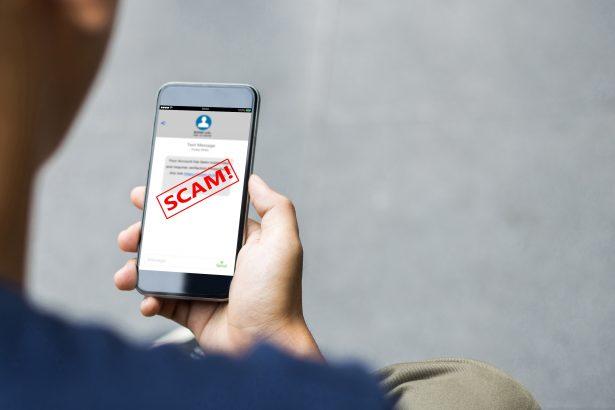
Phishing scams are deceitful tactics used by cybercriminals to trick individuals into providing sensitive information, such as passwords, credit card numbers, and other personal details. These scams typically arrive via email or text message, masquerading as legitimate communications from reputable organizations. The primary goal is to steal personal information or install malicious software on the victim’s system.

Contents
The Fifth Third Bank Email ScamInstructions and DetailsPurpose of the ScamSimilar ThreatsRemoval Guide for Associated MalwareStep 1: Disconnect from the InternetStep 2: Check Your ProgramsStep 3: Change Your PasswordsStep 4: Scan Your System for MalwareStep 5: Update Your SoftwareStep 6: Backup Your DataFurther Prevention Strategies

The Fifth Third Bank Email Scam

The Fifth Third Bank phishing scam specifically targets individuals by impersonating the bank to deceive customers into divulging sensitive information. The email typically comes from an address that appears legitimate at first glance, often formatted as something like support@fifththird.com.

Instructions and Details

In this scam, the email will generally contain alarming language, urging recipients to verify their account information. It may say something like:

Subject: Important Notification Alert: Action Required


Fifth Third Bank


Your card was used at VERIZON at the amount of $94.30.
Click to STOP if this wasn’t you.


Stop


Copyright 2024 Fifth Third Bank, National Association. All Rights Reserved.

The instructions provided often lead to a fraudulent website designed to collect personal information or login credentials.

Purpose of the Scam

The primary purpose of this scam is to gain access to victims’ bank accounts, which can then be drained of funds or used to commit further fraud. Victims may encounter this scam after receiving unsolicited emails claiming to be from their bank, particularly if they have recently used online banking services or if there have been reports of suspicious activity in their area.

Similar Threats

It’s important to be aware that phishing scams can take many forms. Other similar threats include:

  • Fake PayPal emails requesting verification of account information.
  • IRS scams that threaten legal action unless personal details are provided.
  • Tech support scams from supposed Microsoft representatives claiming your computer has been compromised.

Removal Guide for Associated Malware

If you have interacted with the phishing email or provided any personal information, your system might be compromised. Follow these detailed steps to remove any associated malware:

Step 1: Disconnect from the Internet

  1. Disconnect your device from the internet immediately. This can prevent further data from being transmitted to the scammers.

Step 2: Check Your Programs

  1. Windows: Go to the Control Panel > Programs > Uninstall a program.
  2. Look for any suspicious programs that were installed recently. Commonly, these could include:
    • Unknown applications
    • Software with names similar to legitimate programs but with slight variations
  3. Right-click on any suspicious programs and select Uninstall.

Step 3: Change Your Passwords

  1. Change the passwords for your online banking and other accounts immediately.
  2. Use a strong password that includes a mix of letters, numbers, and special characters.
  3. Enable two-factor authentication wherever possible for added security.

Step 4: Scan Your System for Malware

  1. Download SpyHunter
  2. Install SpyHunter: Follow the prompts to install the program on your computer.
  3. Run a Full Scan:
    • Open SpyHunter.
    • Select Scan Computer to start a full system scan.
    • Wait for the scan to complete.
    • Review the results and select any identified threats to remove them.
Download SpyHunter 5
Download SpyHunter for Mac

Step 5: Update Your Software

  1. Ensure your operating system, web browsers, and any installed software are up to date.
  2. Enable automatic updates to help protect against vulnerabilities.

Step 6: Backup Your Data

  1. Regularly back up important files to an external hard drive or a secure cloud service.
  2. This will ensure that you have a safe copy of your data in case of future incidents.

Further Prevention Strategies

To avoid falling victim to phishing scams in the future, consider the following tips:

  • Verify Email Addresses: Always check the sender's email address for any inconsistencies. Look for typos or domains that don't match the official website.
  • Be Cautious with Links: Hover over links before clicking to see where they lead. If they look suspicious, do not click.
  • Educate Yourself: Stay informed about the latest phishing techniques and scams. Awareness is a powerful tool against cyber threats.
  • Use an Anti-Malware Tool: Regularly scan your system with an anti-malware tool like SpyHunter to detect and remove threats.

By following these guidelines and utilizing protective software, you can enhance your defenses against phishing scams and keep your personal information secure.


Download SpyHunter 5
Download SpyHunter for Mac

You Might Also Like

Xmegadrive.com Redirects
Itsfuck.top Adware
Trojan.IcedID.ANJ
Reprucally.co.in Hijacker
“Email Address Verification Formal Notice” Scam
TAGGED:Email ScamsFifth Third Bank scamIdentity Theftmalware removalOnline Securityphishing email scamphishing preventionphishing scamsProtect against scamsSpyHunter download

Sign Up For Daily Newsletter

Be keep up! Get the latest breaking news delivered straight to your inbox.
By signing up, you agree to our Terms of Use and acknowledge the data practices in our Privacy Policy. You may unsubscribe at any time.
Share This Article
Facebook Copy Link Print
Share
Previous Article Trust Wallet Security Alert Email Scam: Understanding Phishing Scams
Next Article Sadaloo Ransomware: A Deep Dive into Ransomware Threats
Leave a Comment

Leave a Reply Cancel reply

Your email address will not be published. Required fields are marked *

Scan Your System for Malware

Don’t leave your system unprotected. Download SpyHunter today for free, and scan your device for malware, scams, or any other potential threats. Stay Protected!

Download SpyHunter 5
Download SpyHunter for Mac
✅ Free Scan Available • ⭐ Catches malware instantly
//

Check in Daily for the best technology and Cybersecurity based content on the internet.

Quick Link

  • ABOUT US
  • TERMS AND SERVICES
  • SITEMAP
  • CONTACT US

Support

Sign Up for Our Newesletter

Subscribe to our newsletter to get our newest articles instantly!


www.itfunk.orgwww.itfunk.org
© 2023 www.itfunk.org. All Rights Reserved.
  • ABOUT US
  • TERMS AND SERVICES
  • SITEMAP
  • CONTACT US
Welcome Back!

Sign in to your account

Username or Email Address
Password

Lost your password?